
PHP remains one of the foundations of the modern web. It powers WordPress, WooCommerce, Laravel applications, custom business platforms and countless hosting control panels. That makes PHP security updates important not only to developers, but also to website owners, agencies, hosting providers and anyone responsible for keeping an online service available.
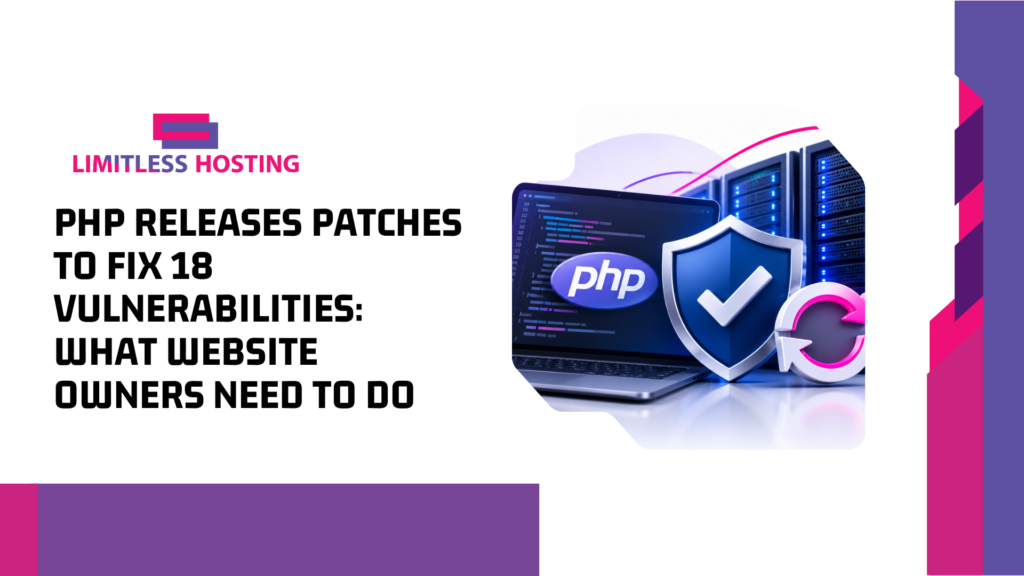
On November 19, 2026, the PHP project released security updates addressing 18 vulnerabilities, including seven rated critical. The issues affect supported PHP branches and span several parts of the runtime, including session handling, PHP-FPM, PHP-CGI, SOAP processing, XML handling and URL processing. Some require unusual configurations, but that is not a reason to ignore the update. A vulnerable component can still matter when a server’s configuration, application behaviour or exposed services create the conditions needed for exploitation.
This guide explains what the November PHP Releases Patches means, which versions contain the fixes, why the session-related flaws deserve attention, and how to check whether the PHP environment serving your website has been updated. It also explains how the Aepto WordPress plugin can help identify selected critical PHP advisory exposure and prepare a clear request for your hosting provider.
What Happened in the November 19 PHP Security Release?
The PHP Foundation published a coordinated security release on November 19, 2026, as part of PHP’s regular four-week release cycle. The update addresses 18 vulnerabilities. Seven are marked critical, and the affected areas include memory management, session processing, HTTP request handling, PHP-FPM, PHP-CGI, SOAP, OpenSSL signature verification and bundled third-party code.
The PHP security team had announced the upcoming release on November 18 and encouraged administrators to prepare to upgrade promptly. The critical issues were described as requiring non-default configuration or uncommon setups. That qualification helps administrators assess exposure, but it does not remove the need to apply the vendor’s fixes.
One important distinction is that this November release follows the earlier PHP2Shell disclosures, tracked as CVE-2026-109618 and CVE-2026-109619. Those earlier vulnerabilities had already prompted emergency security updates and reports of exploitation attempts against internet-facing systems. The November 19 release is a separate group of fixes. Administrators should not assume that patching one release automatically resolves every PHP security issue disclosed during the month.
Which PHP Versions Include the November Security Fixes?
For the maintained PHP branches identified in the November 19 release, the patched versions are:
| PHP branch | Patched release | Action |
|---|---|---|
| PHP 8.5 | 8.5.13 | Upgrade to 8.5.13 or a later security release |
| PHP 8.4 | 8.4.28 | Upgrade to 8.4.28 or a later security release |
| PHP 8.3 | 8.3.37 | Upgrade to 8.3.37 or a later security release |
| PHP 8.2 | 8.2.36 | Upgrade to 8.2.36 or a later security release |
| PHP 8.1 and older | End-of-life | Plan a move to a supported PHP branch |
These are the upstream version floors reported for the release. Hosting platforms can package PHP differently, and some vendors provide security backports for older package branches. That means a version string alone may not tell the whole story on every managed hosting stack. Ask your provider which package build is installed and whether the relevant fixes have been backported to that exact build.
Do not confuse a PHP version selected in a hosting control panel with proof that every server package has been updated. A website may use a particular PHP handler, while command-line PHP, PHP-FPM pools, container images or other applications on the same server use a different runtime. Check the PHP environment that actually serves the affected website.
Ready to Get Your Website Online?
Fast, reliable web hosting from Limitless Hosting. Explore our plans and find the right fit for your site.
The Vulnerabilities: Why the Release Deserves Attention
Session handling and PHPAfterShell
One of the most notable vulnerabilities in the release is CVE-2026-126714, nicknamed PHPAfterShell. It affects PHP’s file-based session handling, which is the default session storage handler in many installations. Under the affected conditions, an attacker may manipulate session data while a file is being uploaded, potentially causing PHP to treat data in an unsafe way.
Successful exploitation could expose sensitive information such as login credentials or customer records, allow session data to be modified, enable visitor surveillance, or disrupt an affected service. The affected upstream versions reported for this flaw are PHP 8.5 before 8.5.13, PHP 8.4 before 8.4.28, PHP 8.3 before 8.3.37, and PHP 8.2 before 8.2.36. PHP 8.1 and earlier are end-of-life.
Another session-related issue, CVE-2026-115560, concerns session upload progress and can create a remote code execution risk under a highly specific combination of conditions. The practical lesson is that upload handling, session configuration and the PHP runtime should all be included in a patch review—especially on sites that accept user uploads or process sensitive account activity.
Memory management and use-after-free flaws
Several of the disclosed issues involve use-after-free behaviour. In simplified terms, this class of memory-safety flaw occurs when software continues to use a memory reference after the memory it points to has been released. Depending on the code path and attacker influence, the result can range from a crash to memory corruption and, in some cases, potential code execution.
The November release includes examples involving interrupted session shutdown, magic method backtraces, fatal-error backtrace handling and the time zone cache. These issues demonstrate why runtime maintenance matters even when a website’s application code has not changed. The vulnerability can exist in the PHP engine or an extension rather than in the WordPress theme or plugin that the site owner manages.
PHP-FPM, PHP-CGI and HTTP request processing
PHP-FPM and PHP-CGI are common parts of production PHP hosting environments. The release includes a PHP-FPM use-after-free issue involving epoll event handling, a request-smuggling issue related to unread HTTP request bodies, and a cross-site scripting issue affecting the PHP-FPM status endpoint. It also addresses a PHP-CGI out-of-bounds read and write condition involving correction of the PATH_INFO environment variable.
Request smuggling is particularly important for administrators because it concerns differences in how HTTP requests are interpreted or processed. When a proxy, web server and application runtime disagree about request boundaries, an attacker may be able to influence how traffic is handled. The real-world risk depends on the server architecture and configuration, which is another reason hosting providers need to validate the actual stack rather than relying on a generic statement that a server is secure.
Other affected components
The remaining fixes cover a range of issues, including double-free behaviour during DOM XML serialization, SOAP information disclosure, DTD entity processing, OpenSSL signature verification, URL and URI serialization, folded HTTP response headers and a bundled uriparser dependency. These weaknesses can have different consequences, including denial of service, information disclosure, memory corruption, invalid output or weakened verification.
Website owners do not need to diagnose each PHP engine flaw themselves. Their responsibility is to identify which PHP runtime their site uses, keep the application stack supported, and confirm that the hosting provider has installed the relevant security updates.
Does Every PHP Website Have the Same Level of Risk?
No. The release affects supported PHP versions, but exploitability can depend on configuration, enabled extensions, request handling, session storage, application behaviour and the way the hosting environment is deployed. The PHP security announcement noted that the critical issues require non-default configurations or uncommon setups.
That does not mean a site owner should try to decide that a vulnerability is irrelevant based only on a short description. A configuration that appears uncommon may be enabled by a framework, control panel, application dependency or hosting provider. In a shared hosting environment, the provider is usually best placed to confirm the package version and server-level configuration.
Consider these practical risk factors when reviewing a PHP deployment:
- Public-facing upload features: Sites that accept documents, images, profile uploads or other user-submitted files should pay particular attention to session and upload-related fixes.
- Session-heavy applications: Membership portals, shopping carts, dashboards and account systems rely on session handling to maintain user state.
- PHP-FPM and FastCGI architecture: The exact web server and PHP-FPM configuration can affect exposure to request-processing issues.
- Legacy PHP branches: Unsupported versions do not receive normal upstream security maintenance. A hosting vendor may offer backports, but that should be confirmed explicitly.
- Multiple runtimes: A server may host websites, scheduled jobs, command-line scripts and containers that do not all use the same PHP binary.
For broader website hardening, review your WordPress security risks and common attack paths alongside PHP maintenance. Runtime patching is one layer of defence, not a substitute for secure application code, access controls, backups and monitoring.
How to Check Whether Your Server Has Been Patched
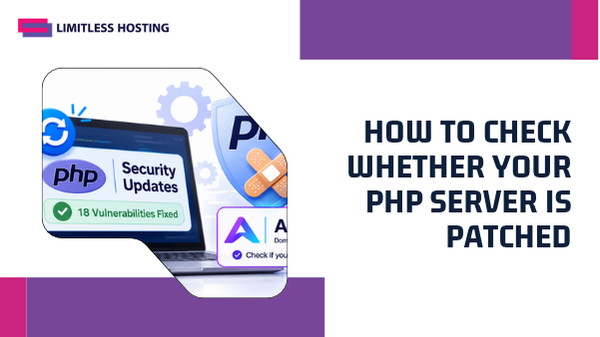
The most reliable process combines a local PHP version check with confirmation from the hosting provider. A control-panel version selector is useful, but it should not be the only evidence. Follow these steps to build a clearer picture of your website’s runtime.
1. Identify the PHP version used by the website
In WordPress, open Tools → Site Health → Info and expand the Server section. Review the PHP version shown for the site. You can also check the PHP version in your hosting control panel, such as DirectAdmin or cPanel. If you manage the server, inspect the PHP version used by the relevant PHP-FPM pool or web server handler.
Compare the version against the patched floors in the table above. For example, a site using upstream PHP 8.4 should be on 8.4.28 or later for this release. A site using PHP 8.3 should be on 8.3.37 or later. If the version is older, do not assume it is vulnerable or safe without checking whether your distribution has supplied a security backport.
2. Check the exact PHP package and handler
On managed hosting, ask support which PHP package and handler serve your domain. On cPanel or CloudLinux systems, the server may use EasyApache PHP packages (ea-php) or CloudLinux alt-php. Different domains on the same account can also use different PHP versions.
On a VPS or dedicated server, administrators should check installed package versions, active PHP-FPM services, container images and any additional PHP installations. If the server runs more than one PHP branch, verify each one that is exposed to production traffic.
3. Ask your hosting provider to confirm the November 19 fixes
If you cannot access package-level details, send your provider a concise support request. Include your domain, the PHP version reported by WordPress, and the date of the PHP security release. Ask the provider to confirm whether the relevant November 19, 2026 PHP security fixes have been applied to the package serving your website.
For older branches, ask whether the provider has backported the fixes and which vendor advisory or package build confirms that work. A generic response such as “the server is secure” is less useful than a version number, package revision or security advisory reference.
4. Recheck after the maintenance window
Once the provider confirms an update, revisit Site Health or your control panel and check the active PHP runtime again. Test important website functions such as login, checkout, contact forms, scheduled tasks and file uploads. If you manage a custom application, run its automated tests and review the PHP error logs for compatibility problems.
Keep a record of the previous version, new version, maintenance date and any vendor backport confirmation. This makes future audits and incident reviews easier.
Use the Aepto WordPress Plugin to Check Selected PHP Security Advisories
Website owners can add another useful check with the Aepto Domain Expiry, SSL, DNS & PHP Security WordPress plugin. Its free Domain Anchor feature checks the local PHP runtime against a curated set of critical PHP security advisories, starting with the PHP2Shell vulnerabilities. It can show an administrator notice, send repeat alerts and provide a copy-ready support ticket to help request an update from the hosting company.
The plugin also recognises certain CloudLinux, cPanel ea-php and alt-php security backports for the PHP2Shell advisories. This matters because a vendor may have backported a fix while the displayed PHP version remains below the upstream fixed version. In those cases, a simple version comparison can produce a misleading result; package-aware backport handling can provide more context.
How to use it:
- Install and activate the Aepto plugin from the WordPress plugin directory.
- Open the Aepto → Anchor area in your WordPress dashboard.
- Run the check and review any PHP security notice displayed for the site.
- If the plugin flags an advisory, use its support-ticket text to ask your hosting provider to confirm the installed package and remediation status.
- Configure alert recipients in the plugin settings so that critical notices are not missed.
Important scope note: The plugin’s published PHP security checks are advisory-specific, and its current description identifies PHP2Shell as the starting coverage. Do not treat a clean result as proof that every vulnerability in the separate November 19 release has been remediated. For the 18-vulnerability update covered in this article, confirm the applicable PHP package version or vendor backport directly with your hosting provider. Use Aepto as an additional signal and a way to organise follow-up—not as a replacement for package-level verification.
That distinction is especially important on managed hosting, where the provider controls the system packages and may apply vendor-specific security fixes. Aepto can help surface a critical advisory and make the support conversation easier, while the host remains responsible for confirming the server-side patch state.
What Hosting Providers and Server Administrators Should Do
Hosting providers have a broader responsibility than an individual website owner because one PHP runtime may serve many customer accounts. A practical response should cover inventory, patching, validation and communication.
Build an accurate PHP inventory
- List every supported PHP branch installed on production servers.
- Identify which domains, PHP-FPM pools, containers and scheduled tasks use each branch.
- Record whether the environment uses upstream PHP packages, vendor-maintained builds, ea-php or alt-php.
- Identify end-of-life versions and customers who need migration support.
Apply updates through the supported package channel
Use the package repository and maintenance process appropriate for the operating system and hosting platform. Avoid replacing system PHP binaries manually on a production server without considering dependencies, extensions and control-panel compatibility. Where a vendor backport is used, retain the advisory and package revision that demonstrates the fix.
Validate services after patching
Restart or reload the relevant services when required by the package maintainer, then confirm that the intended PHP-FPM pools or handlers are using the updated build. Run smoke tests for common application flows and monitor logs for startup failures, extension conflicts or unexpected errors.
Communicate clearly with customers
Tell customers which PHP branches were updated, whether any legacy branch received a backport, and whether action is required on their account. If customers need to change their selected PHP version, provide clear instructions and a safe migration path. Good maintenance communication reduces confusion and helps customers avoid unsupported runtimes.
For teams managing several websites or client accounts, a well-maintained managed VPS hosting environment can make server maintenance, patch coordination and operational oversight easier. The important factor is not simply having a VPS; it is having a clear process for keeping its operating system, PHP packages and application stack current.
What WordPress Website Owners Should Review After a PHP Update
Updating PHP is a server-side security task, but it can affect application compatibility. Before and after a planned change, take a backup and review the parts of WordPress that rely on PHP.
- WordPress core: Keep the core installation on a supported release and check compatibility guidance before changing PHP branches.
- Plugins and themes: Update maintained extensions and remove abandoned components that no longer receive security fixes.
- WooCommerce and payment flows: Test product pages, cart updates, checkout, payment callbacks and order emails.
- Forms and user accounts: Test registration, login, password resets, file uploads and form notifications.
- Scheduled tasks: Check WordPress cron events and server cron jobs, especially if they call a separate PHP binary.
- Backups and rollback: Maintain a recent restorable backup and understand how to revert a PHP handler if a compatibility issue appears.
Before making a major PHP version change, review how often you should back up WordPress. A tested backup gives you a recovery option if an older plugin or custom script fails after the update.
Why PHP Security Updates Are Part of Hosting Quality
Website performance and uptime are important, but dependable hosting also depends on ongoing security maintenance. A hosting service should have a defined process for monitoring upstream advisories, updating supported packages, handling end-of-life branches and informing customers when action is needed.
When comparing hosting options, ask how PHP versions are maintained, how quickly critical security updates are evaluated, whether alternative PHP branches are available, and how the provider handles vendor backports. You should also understand which parts of the stack are managed by the host and which remain your responsibility.
Control-panel choice can influence how administrators manage PHP versions and hosting accounts. If you are comparing management environments, our guide to DirectAdmin hosting and its management features explains how a hosting control panel fits into day-to-day website administration. Regardless of the panel, however, the underlying PHP packages still need a proper security maintenance process.
Limitless Hosting provides hosting options for website owners, developers and agencies who need a platform for their online projects. Explore the Limitless Hosting website to review available hosting services and choose an environment that matches your operational requirements. Always confirm the PHP version, update policy and support responsibilities for the specific plan before deploying a production workload.
PHP Security Patch Checklist
Use this checklist to make sure the November 19 security release has been addressed in a practical way:
- Identify the PHP version actually serving the website.
- Compare the upstream version with the patched release floor for its branch.
- Ask the hosting provider about package-specific fixes and any vendor backports.
- Check every active PHP handler, pool, container and scheduled task.
- Move away from PHP 8.1 and older unless a vendor-supported exception and migration plan are documented.
- Use Aepto to monitor its currently supported critical PHP advisories and generate a support request when needed.
- Back up the site and test key application features after maintenance.
- Record the patch date, package build and provider confirmation for future reference.
Conclusion
The PHP security release published on November 19, 2026 addresses 18 vulnerabilities, seven of them critical. The fixes are available in PHP 8.2.36, 8.3.37, 8.4.28 and 8.5.13 for the maintained branches identified in the release. PHP 8.1 and older are end-of-life, so administrators should plan a move to a supported version rather than relying on an unsupported runtime.
Website owners should identify the PHP runtime serving their site, check the applicable patched version, and ask their hosting provider to confirm package-level remediation. Hosting providers should inventory all active PHP branches, apply updates through supported channels, validate services and communicate clearly with customers.
The Aepto WordPress plugin adds a useful layer of visibility for selected critical PHP advisories and can help you prepare a support request when an issue is detected. Use it alongside—not instead of—confirmation for the specific November 19 vulnerabilities. If you manage a business website, store or client portfolio, make PHP patch verification part of your regular hosting security routine. Visit Limitless Hosting to explore hosting options and choose a platform with the maintenance and support your website needs.
Frequently Asked Questions
1. How many vulnerabilities did PHP fix on November 19, 2026?
The PHP security release addressed 18 vulnerabilities, including seven rated critical. The issues affect several parts of the PHP runtime and related components, including session handling, PHP-FPM, PHP-CGI, SOAP, XML and URL processing.
2. Which PHP versions include the November 2026 security fixes?
The patched upstream versions identified for the maintained branches are PHP 8.2.36, 8.3.37, 8.4.28 and 8.5.13. Administrators should use these versions or later security releases and confirm whether their hosting vendor uses a package-specific backport.
3. Is PHP 8.1 affected by the November PHP vulnerabilities?
PHP 8.1 and earlier are end-of-life and do not receive normal upstream security fixes. If your website still uses one of these branches, contact your hosting provider about a supported migration path and any vendor-maintained security backports that may apply.
4. Can a PHP vulnerability lead to remote code execution?
Some PHP vulnerabilities can potentially lead to remote code execution when the required conditions are present. The November release includes session-related flaws with serious potential impact, although exploitability depends on the affected version, configuration and application environment.
5. How can I check whether my hosting server is patched?
Check the PHP version shown in WordPress Site Health or your hosting control panel, then ask your provider to confirm the exact package build and whether the November 19 fixes have been applied. On managed platforms, a vendor backport may mean the package is protected even when its version string is below the upstream release number.
6. Can the Aepto WordPress plugin check PHP security?
Yes. Aepto includes checks for selected critical PHP runtime advisories, starting with PHP2Shell, and can display notices, send alerts and prepare a hosting support ticket. Its published coverage is advisory-specific, so a clean result should not be treated as proof that every vulnerability in the November 19 release is patched. Confirm those fixes with your hosting provider.
7. Should I update PHP immediately?
Administrators should plan to apply the relevant security updates promptly using the supported package channel. Before changing a production environment, take a backup, check application compatibility, update the correct PHP handler and test important site functions after maintenance.
Blog posts:
- PHP Releases Patches to Fix 18 Vulnerabilities: What Website Owners Need to Do
- UK Web Hosting Services: How to Choose the Right Hosting for Your Website
- Web Hosting Industry 2026 Review: News, Releases and the Security Updates That Reached Every Site
- Your Hosting Agent: What It Means When an AI Takes Over the Day to Day
- Best Hosting for WooCommerce: How to Choose a Fast, Reliable Store Host