
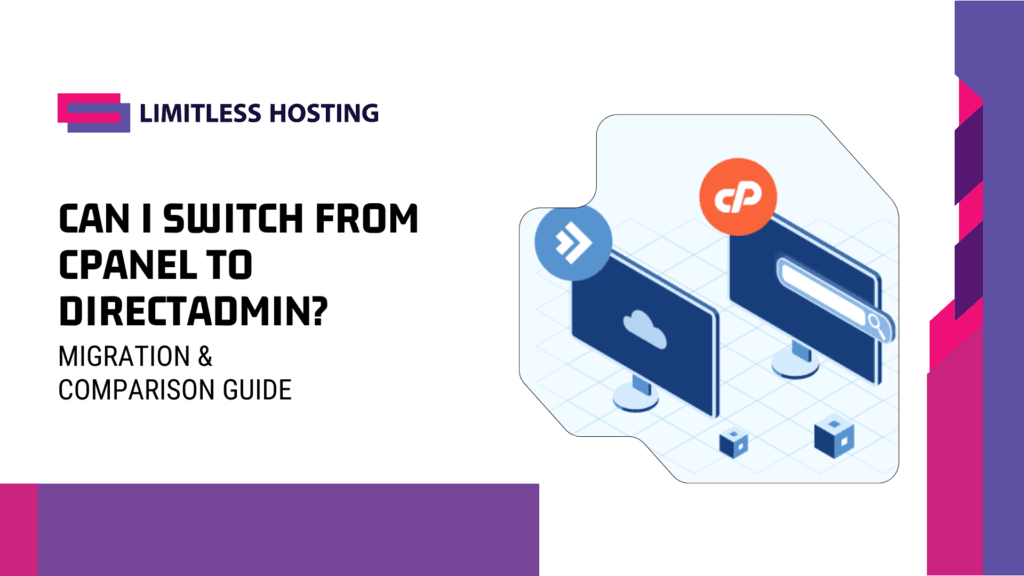
If you are running a web hosting business, managing client websites, or maintaining your own web infrastructure, you have likely asked yourself: Can I switch from cPanel to DirectAdmin without breaking my websites?
The short answer is yes, absolutely. In fact, migrating from cPanel to DirectAdmin has become one of the most popular infrastructure upgrades for website owners, agencies, and hosting providers worldwide.
For decades, cPanel was the undisputed industry standard for Linux server management. However, recent changes in licensing models, aggressive price increases, and higher server resource overhead have forced website owners to seek leaner, more cost-effective alternatives. DirectAdmin has emerged as the premier choice, offering lightweight resource consumption, high stability, modular customization, and full feature parity with cPanel.
In this comprehensive guide, we will explore why thousands of webmasters are switching, how the migration process works step-by-step, what potential hurdles you might face, and how to execute a seamless transition without downtime.
Why Webmasters and Hosting Providers Are Switching to DirectAdmin
The decision to migrate from cPanel to DirectAdmin is rarely based on a single factor. Instead, it is driven by a combination of financial sustainability, server efficiency, and overall control over hosting environments.
Primary Drivers for Migration
- Financial Sustainability: Predictable flat-tier billing options eliminate unexpected per-account fee hikes.
- Peak Server Performance: A significantly lower RAM footprint leads to faster control panel loading and lower CPU usage.
- Infrastructure Flexibility: Native support for modern web servers (Nginx, OpenLiteSpeed, LiteSpeed, and Apache) paired with a clean codebase.
1. License Cost Optimization and Predictable Billing
The most significant catalyst for the global shift toward DirectAdmin is licensing structure. Historically, control panels offered flat-rate pricing per server. However, industry changes led to account-based tier pricing, where server administrators are billed per hosted account.
As detailed in our analysis of the cPanel price increase, per-account licensing models significantly impact web hosting margins, particularly for reseller hosts and agencies managing hundreds of client accounts. The shift marked what many consider the end of free cPanel hosting options.
DirectAdmin, by contrast, maintains transparent, fixed-tier licensing options without penalizing you for growing your account density on a single machine.
2. Lightweight Resource Consumption and Superior Speed
Control panel overhead directly impacts server performance. cPanel runs numerous background daemons, monitoring agents, and internal services that can consume 1 GB to 2 GB of RAM before serving a single web page request.
DirectAdmin was engineered from the ground up to be lightweight. It operates with a minimal memory footprint—often using under 100 MB of RAM idle. This efficiency translates directly into faster control panel loading times, lower CPU usage, and more available server resources for your actual websites and MySQL databases.
3. High Flexibility via CustomBuild
DirectAdmin utilizes a backend tool called CustomBuild to compile, update, and manage server software. Unlike cPanel’s EasyApache, CustomBuild allows system administrators to easily swap web servers (Apache, Nginx, OpenLiteSpeed, LiteSpeed, or reverse-proxy combinations) with simple command-line triggers.
If you want to understand how control panel architecture impacts site speed, read our overview on what is DirectAdmin hosting.
Detailed Comparison: cPanel vs. DirectAdmin
Before migrating, it is essential to understand how everyday functions compare between the two control panels.
| Feature / Metric | cPanel & WHM | DirectAdmin |
| Idle Memory Overhead | High (~1 GB – 2 GB RAM) | Extremely Low (~100 MB RAM) |
| Licensing Structure | Per-account tier limits | Fixed pricing options |
| Web Server Options | Apache, EA-Nginx, LiteSpeed | Apache, Nginx, OpenLiteSpeed, LiteSpeed |
| User Interface Options | Paper Lantern, Jupiter | Evolution Skin (Grid, Refreshed, Sidebar) |
| Built-in Migration Tool | Restores native cPanel packages | Converts & restores native cPanel packages |
| Multi-Server Features | WHM DNS Cluster | Native Multi-Server Setup (MSS) |
| Software Management | EasyApache 4 | CustomBuild 2.0 |
For a broader look at feature comparisons and hosting management, check out our guide on why DirectAdmin hosting is the best choice for your website.
How Easy Is It to Transfer Accounts from cPanel to DirectAdmin?
One of the biggest misconceptions about switching control panels is that you must rebuild every website, re-create email accounts, and manually export databases.
This is entirely untrue.
DirectAdmin features a built-in conversion script (cpanel_to_da) integrated into its Admin Backup/Restore system. This tool reads native cPanel backup archives (backup-*.tar.gz or pkgacct files) and translates them into DirectAdmin’s native backup format automatically.
What Gets Transferred Automatically:
- Website Files: All
public_htmlfiles, subdirectories, and asset structures. - MySQL/MariaDB Databases: All databases, schema setups, and associated database users/passwords.
- Email Infrastructure: Email accounts, encrypted passwords, forwarders, autoresponders, webmail settings, and existing mailbox contents (
maildirformat). - DNS Records: A records, MX records, TXT records, CNAMEs, and custom DNS entries.
- SSL Certificates: Existing Let’s Encrypt or custom commercial SSL certificates and private keys.
- Cron Jobs: Scheduled tasks configured within cPanel.
- Domains & Subdomains: Main domains, addon domains, parked domains (aliases), and subdomains.
DirectAdmin Hosting
Limitless Speed, Unbeatable Value!
Fast, Reliable Shared Hosting Starting at Just $0.50/Month!
Step-by-Step Guide: Migrating from cPanel to DirectAdmin
Whether you are migrating a single account on a shared server or transferring an entire server fleet, follow this structured process to ensure zero data loss and minimal downtime.
Overview of the Migration Pipeline
- Generate cPanel Backups: Create native
pkgacctor backup archives on the source server. - Transfer Archives: Move compressed backup files to the new DirectAdmin server via SSH/SCP.
- Execute Conversion & Restore: Run DirectAdmin’s automated restoration engine to convert files into native accounts.
- Verify Integrity: Test website rendering, database connections, and file permissions locally.
- Repoint DNS: Update domain Name Servers or A records and monitor global propagation.
Phase 1: Pre-Migration Planning and Preparation
- Audit Your Current cPanel Server: Take stock of total disk space, database count, PHP versions in use, and custom Apache rewrite rules.
- Set Low DNS TTL Values: Lower your domain DNS TTL (Time To Live) to 300 seconds (5 minutes) at least 24 to 48 hours before migration. This ensures that when you update IP addresses later, internet traffic switches to the new DirectAdmin server almost instantly.
- Set Up Your Target DirectAdmin Server: Ensure your target VPS or Dedicated Server has DirectAdmin installed and configured. If you need help choosing hardware, review our guide on managed VPS servers.
Phase 2: Generating cPanel Backups
Option A: Root Server-Wide Backup (For VPS / Server Admins)
If you have root SSH access to your source cPanel server, you can generate backups for all users at once via the terminal:
# SSH into your cPanel server as root
cd /home

# Loop through all users and create native pkgacct backup files
for user in $(ls /var/cpanel/users); do
  /scripts/pkgacct $user /home/cpanel_backups
done
Option B: Single User cPanel Backup (For Shared / Reseller Users)
If you do not have root access and are moving a single account or client site, refer to our step-by-step tutorial on how to host a website in cPanel to navigate the cPanel interface.
- Log into your cPanel account.
- Navigate to Files > Backup Wizard or Right Backups.
- Click Download a Full Website Backup.
- Set the destination to Home Directory and click Generate Backup.
- Download the completed
.tar.gzfile to your computer or transfer it via SCP/FTP directly to your new server.
Phase 3: Restoring cPanel Backups into DirectAdmin
Once your cPanel backup files are ready, move them to your DirectAdmin server in the /home/admin/all_backups directory.
From the DirectAdmin dashboard, navigate to Admin Backup/Restore, select the backup path, choose the imported pkgacct files, and click Restore. DirectAdmin’s migration engine automatically processes the conversion in the background.
Phase 4: Post-Migration Verification and Testing
Before switching your live domain DNS, test your migrated websites on the DirectAdmin server to ensure functionality.
1. Preview Sites Using Local Hosts File or Preview URLs
Modify your local computer’s hosts file to point your domain temporarily to the IP address of your new DirectAdmin server.
- Windows:
C:\Windows\System32\drivers\etc\hosts - macOS / Linux:
/etc/hosts
Add an entry like this:
192.0.2.50 yourdomain.com www.yourdomain.com
Open your web browser and visit yourdomain.com. Test database connectivity, dynamic page rendering, user logins, and form submissions.
2. Verify PHP Versions and Extensions
Ensure the target DirectAdmin server runs the same PHP versions required by your scripts. DirectAdmin allows you to run up to four different PHP versions simultaneously via CustomBuild. If your site requires high storage performance, verify that your server utilizes SSD server storage.
3. Check Mailbox Paths and Email Connectivity
Test logging into Webmail (Roundcube) on DirectAdmin for an imported user account to confirm that email history, folders, and inbox contents transferred correctly.
Managing Domain Health and DNS During Migration
During control panel migrations, monitoring domain status, DNS propagation, and SSL certificate issuance across geographic locations is critical.
When shifting name servers or IP addresses across servers, utilize external monitoring services. Using aepto.com for real-time domain tracking allows you to monitor domain expiration parameters, track global DNS record changes, and verify propagation health during server migrations. Keeping track of external DNS visibility ensures your sites remain reachable globally while local caches update.
Troubleshooting Common Migration Pitfalls
While DirectAdmin’s migration script handles most tasks automatically, differences between server environments can occasionally cause edge-case issues. Here is how to fix the most common challenges:
1. Database User Permission Discrepancies
- Issue: In cPanel, database usernames are prefixed with your account username (e.g.,
cpuser_dbname). DirectAdmin follows a similar structure, but if account usernames differ post-restoration, database connections may fail withAccess Denied. - Fix: Check
wp-config.php(for WordPress) or equivalent configuration files. Update database passwords or grant permissions manually under DirectAdmin Account Manager > MySQL Management.
2. .htaccess Rewrite Rule Conflicts
- Issue: cPanel uses Apache web server configurations by default. If your target DirectAdmin server uses Nginx or OpenLiteSpeed without Apache reverse-proxy rules,
.htaccessdirectives might not execute as expected. - Fix: If running pure Nginx on DirectAdmin, convert Apache rewrite rules to Nginx server block format, or switch CustomBuild to run
nginx_apache(Nginx as a reverse proxy in front of Apache) for 100%.htaccesscompatibility.
3. File Ownership and Permission Errors
- Issue: Imported files may occasionally retain previous system UID/GID permissions, resulting in
500 Internal Server Errorresponses. - Fix: Reset file and folder permissions via DirectAdmin SSH using the built-in permission reset tool:
cd /usr/local/directadmin/scripts ./set_permissions.sh user_files username
Financial Impact: Long-Term Savings Analysis
To understand why switching to DirectAdmin makes strategic sense, compare the long-term operational costs between cPanel and DirectAdmin for a mid-sized web agency hosting 100 client accounts on a single VPS over a 24-month period:
| License Type | Estimated Monthly Cost | 24-Month Total Cost |
| cPanel Premier License (~$60+/mo baseline + per-account tier fees) | ~$65 / month average | $1,560 USD |
| DirectAdmin Standard / Lite License (Fixed tier pricing) | ~$18 / month average | $432 USD |
| Estimated 2-Year Savings | ~$47 / month saved | ~$1,128 USD per server |
Reinvesting these savings into server hardware—such as upgrading to higher CPU core counts, NVMe arrays, or improved infrastructure—yields immediate gains in site speed and customer satisfaction.
For hosting providers operating reseller businesses, lowering software license overhead improves margins. Read our analysis on whether reseller hosting is profitable
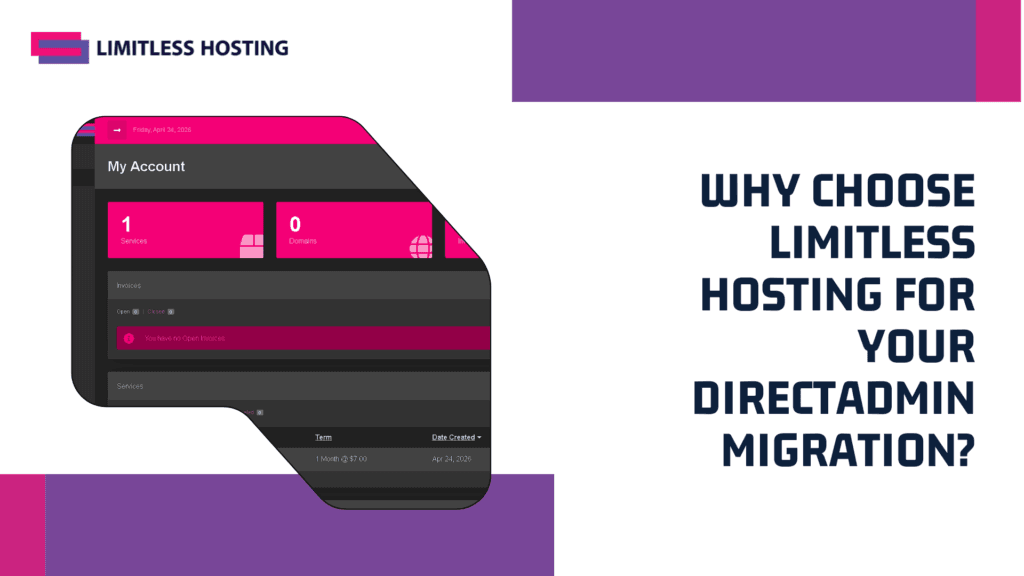
Why Choose Limitless Hosting for Your DirectAdmin Migration?
At Limitless Hosting, we specialize in high-performance web hosting solutions optimized for DirectAdmin. Whether you are running a single blog or managing complex infrastructure, we provide the tools and support needed for a smooth transition.
What Sets Our DirectAdmin Hosting Apart:
- Free Managed Migration Services: Our migration experts handle your cPanel-to-DirectAdmin migration for you—zero technical stress, zero downtime.
- Pure NVMe SSD Storage: Enjoy rapid page load speeds, fast database queries, and optimal backend performance.
- Global High-Speed Datacenters: Choose strategic server locations tailored to your target audience, including our Singapore hosting services.
- Affordable Infrastructure: Scalable solutions designed for growing agencies, from shared hosting vs reseller hosting to dedicated VPS deployments.
- 24/7 Technical Support: Real system administrators available around the clock to assist with configuration, CustomBuild optimization, and security hardening.
Discover how our infrastructure accelerates your sites by exploring our guide on how to accelerate your website with Limitless Hosting.
Pre-Migration & Post-Migration Checklists
Print or save these checklists before initiating your server transfer:
Pre-Migration Checklist
- Lower DNS TTL settings to 300 seconds on all domains.
- Verify disk space on both source (cPanel) and destination (DirectAdmin) servers.
- Document all active PHP versions and custom modules.
- Generate full cPanel backup archives (
pkgacctfiles). - Confirm target DirectAdmin server has matching database engines (MySQL/MariaDB).
Post-Migration Checklist
- Verify database connection strings in application configuration files.
- Test website functionality via local
hostsfile modification. - Confirm email accounts and webmail history intact.
- Verify SSL certificates active and auto-renewing via Let’s Encrypt.
- Update domain Name Servers (NS) or A records to new server IP.
- Track DNS propagation via aepto.com.
- Cancel legacy cPanel licenses once propagation reaches 100%.
Conclusion: Can I Switch from cPanel to DirectAdmin? The Answer
Switching from cPanel to DirectAdmin is one of the smartest operational moves you can make for your web hosting infrastructure. You eliminate unpredictable per-account license fee increases, reduce control panel memory overhead, and gain access to a fast, clean control panel built for performance.
Thanks to DirectAdmin’s automated cPanel restoration tools, migrating files, databases, email accounts, and SSL certificates is straightforward and risk-free.
Ready to make the switch? Explore our fast, affordable DirectAdmin VPS hosting plans or contact our support team today for free managed migration assistance!
Frequently Asked Questions (FAQs)
Will switching from cPanel to DirectAdmin cause website downtime?
No. As long as you generate backups, restore them onto DirectAdmin, test your sites via local hosts file prior to changing DNS, and keep your old cPanel server running until DNS propagation completes, your websites will experience zero downtime.
Will my clients notice a difference after switching to DirectAdmin?
DirectAdmin features modern skin options (such as the Evolution Skin) that are intuitive, fully responsive, and mobile-friendly. While layout organization differs slightly from cPanel’s Jupiter theme, core actions—such as managing files, creating email addresses, and accessing phpMyAdmin—are straightforward.
Does DirectAdmin support WordPress auto-installers like Softaculous?
Yes! DirectAdmin supports Softaculous, Installatron, and native WordPress management plugins. If you use Softaculous on cPanel, you can install Softaculous on DirectAdmin to manage existing WordPress installations seamlessly.
Can I run Nginx instead of Apache on DirectAdmin?
Yes. Unlike cPanel, which primarily relies on Apache or EA-Nginx overlays, DirectAdmin provides native, first-class support for standalone Nginx, OpenLiteSpeed, LiteSpeed, or hybrid nginx_apache reverse-proxy setups via CustomBuild.
Are my email passwords preserved during a cPanel to DirectAdmin migration?
Yes. The cPanel-to-DirectAdmin migration engine preserves encrypted password hashes for all email accounts. Your end users will not need to reset their email passwords after the transfer.
Is DirectAdmin really faster than cPanel?
Yes. Because DirectAdmin relies on compiled C++ binaries and runs minimal background processes, it consumes a fraction of the RAM and CPU power used by cPanel. This leaves significantly more server capacity for your web server and database tasks.
Read More:
- Black Friday WordPress Hosting Deals 2026: What Matters After the Discount
- Black Friday Web Hosting Deals 2026: How to Tell a Real Discount From a Renewal Trap
- How to Migrate Your WordPress Site to a New Host Without Downtime
- How to Fix DNS_PROBE_FINISHED_NXDOMAIN: Complete Website Owner’s Guide
- How to Fix a 403 Forbidden Error on Your Website (2026 Guide)