
In the modern web hosting ecosystem, secure data transmission is an absolute baseline. From processing credit card payments to executing simple API calls between microservices, encrypted connections are the invisible glue keeping web applications safe. The primary protocol stack responsible for establishing these secure conduits is Secure Sockets Layer (SSL) and its modern, hardened successor, Transport Layer Security (TLS).
However, because secure connections depend on a highly coordinated cryptographic dance between two distinct computer systems, even a minor configuration mismatch will halt communications entirely. One of the most common, frustrating, and disruptive errors that developers and system administrators encounter during this process is:
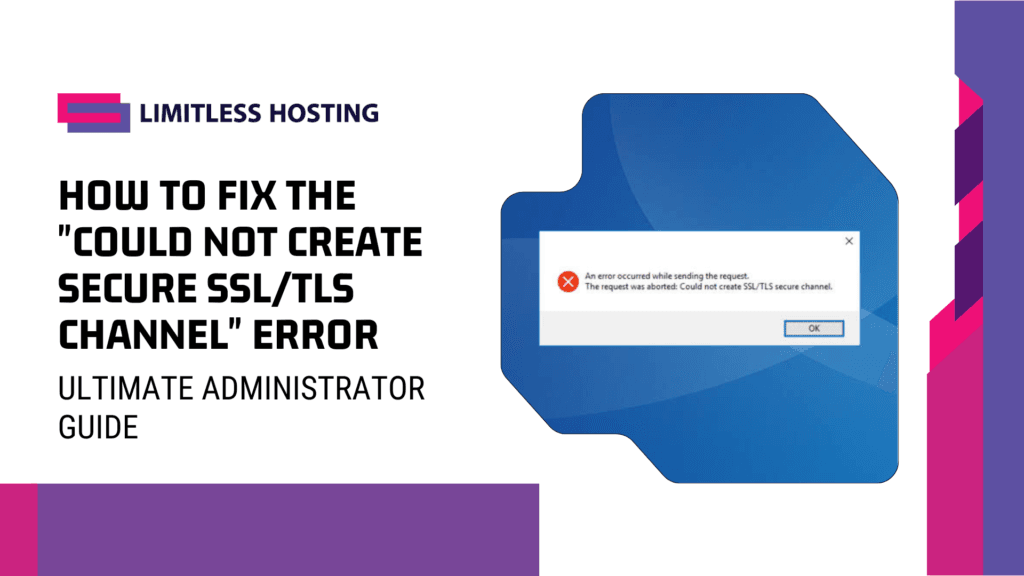
The request was aborted: Could Not Create Secure SSL/TLS Channel.
This error is notorious because it acts as a generic warning. Whether it occurs in a C#/.NET application, a Java API client, a PHP script, or a command-line curl request, it indicates that the client and the destination server failed to agree on a mutually acceptable security posture during the TLS handshake.
This comprehensive guide explores the underlying mechanics of TLS handshake failures, identifies the primary root causes of secure channel errors, and provides actionable, step-by-step fixes across Windows, Linux, .NET, and server-side environments.
Key Takeaways
Before diving into the detailed troubleshooting steps, here is an executive summary of how to resolve the SSL/TLS secure channel error:
- Handshake Failure: The error occurs when the client and server cannot negotiate a matching protocol version or mutually compatible cipher suites.
- Update Client Frameworks: Outdated frameworks (like .NET Framework 4.0 or legacy Java runtimes) default to insecure TLS 1.0 or TLS 1.1, which modern servers reject.
- Validate CA Trust Chains: Outdated operating system certificate stores (
ca-certificates) will fail to validate modern Let’s Encrypt or Sectigo SSL certs. - Harden the Cipher Intersections: Ensure your web host supports the cipher suites requested by your client applications.
- Deploy Monitoring Perimeters: Use third-party, multi-regional auditing tools to ensure your servers do not quietly drift into cryptographic incompatibility.
1. Deconstructing the TLS Handshake Negotiation
To troubleshoot why an SSL/TLS channel fails to establish, we must examine the sequence of the cryptographic handshake. A TLS handshake is a multi-step negotiation where a client and server agree on the version of the protocol they will use, select compatible cryptographic algorithms, validate certificates, and generate shared keys.
[ Client ]                                                     [ Server ]
    │                                                              │
    ├─────── ClientHello (Supported TLS Versions, Ciphers) ───────>│
    │                                                              │
    │<────── ServerHello (Selected TLS Version, Cipher), Cert ─────┤
    │                                                              │
    ├─────── Client Key Exchange, Verification, Finished ─────────>│
    │                                                              │
    │<────── Server Finished (Encrypted Channel Active) ───────────┤
    │                                                              │
The “Could not create SSL/TLS secure channel” error occurs at the very beginning of this process, during the transition between the ClientHello and ServerHello phases.
During the ClientHello, the client passes down a list of its supported TLS protocol versions (e.g., TLS 1.2, TLS 1.3) and its available cipher suites. If the destination server has been hardened to reject outdated protocols, or if the client does not support any of the server’s configured cipher suites, the server terminates the connection immediately, aborting the request before any data can be transmitted.
Ultimate Solution for Reselling Hosting.
Limitless Hosting offers cost-effective Reseller Hosting plans, starting at just $4/month.
2. The Primary Causes of SSL/TLS Channel Failures
There are four core technical reasons why this cryptographic negotiation fails. Identifying which of these issues applies to your environment is the first step toward implementing a permanent fix.
Protocol Version Mismatch
This is the most common culprit. Over the last decade, security standards have evolved rapidly to combat sophisticated network vulnerabilities. SSL 3.0, TLS 1.0, and TLS 1.1 have been completely deprecated due to structural flaws (like POODLE and BEAST). Modern servers, including secure shared environments like our cPanel shared hosting clusters, are configured to accept only TLS 1.2 and TLS 1.3.
If an outdated client application (e.g., a .NET 4.0 application running on an unpatched Windows Server) attempts to initiate a connection using TLS 1.0, the secure server will reject the connection, throwing the “Could not create secure channel” error.
Cipher Suite Incompatibility
Even if the client and server both support TLS 1.2, they must also agree on a cipher suite—the mathematical algorithm used to encrypt the payload, verify authenticity, and exchange keys.
If the client’s operating system only supports older, weak ciphers (such as RC4 or 3DES) and the server only accepts modern AEAD ciphers (such as AES-GCM or ChaCha20-Poly1305), the handshake will fail because there is no common cryptographic ground.
Missing or Outdated Root Certificates
To establish a secure channel, the client must verify that the server’s SSL certificate is valid and issued by a trusted Certificate Authority (CA). The client does this by checking the server’s certificate against its local Root Certificate Store.
If the client operating system is unpatched, or if its root CA package is outdated, it will not recognize modern root certificates (such as those issued by Let’s Encrypt or newer Sectigo chains). Because it cannot establish a chain of trust, the client aborts the connection.
Missing Client Certificates (Mutual TLS)
Some enterprise-grade APIs utilize Mutual TLS (mTLS) for two-way authentication. In these environments, the server requires the client to present its own digital certificate during the handshake. If the client fails to provide this certificate, or if the certificate has expired, the server terminates the connection.
3. Environment-Specific Fixes for Systems Administrators
Depending on the technology stack running your application or server, execute the corresponding resolution paths outlined below.
Fix 1: Resolving C#/.NET Framework Failures
By default, older versions of the .NET Framework (.NET 4.5 and below) do not enable TLS 1.2 or TLS 1.3 as default protocols. They rely on the operating system’s default settings, which often point to deprecated TLS 1.0.
Solution A: Explicitly Force TLS 1.2/1.3 in Code
To resolve this, you can programmatically force your application to support TLS 1.2 and TLS 1.3 by adding the following line of code before you instantiate your HttpWebRequest, WebClient, or HttpClient:
System.Net.ServicePointManager.SecurityProtocol =
    System.Net.SecurityProtocolType.Tls12 |
    System.Net.SecurityProtocolType.Tls13;
Solution B: Modify the Registry to Force System Default TLS (Recommended)
Rather than hardcoding security protocols (which prevents your application from automatically adopting newer TLS versions in the future), you should force the .NET Framework to inherit the default security protocols of the Windows OS.
Create a text file, name it tls12_enable.reg, paste the following registry keys inside, and run it as an Administrator:
Windows Registry Editor Version 5.00

[HKEY_LOCAL_MACHINE\SOFTWARE\Microsoft\.NETFramework\v4.0.30319]
"SchUseStrongCrypto"=dword:00000001

[HKEY_LOCAL_MACHINE\SOFTWARE\Wow6432Node\Microsoft\.NETFramework\v4.0.30319]
"SchUseStrongCrypto"=dword:00000001
Setting SchUseStrongCrypto to 1 instructs the .NET execution engine to disable legacy SSL 3.0 and TLS 1.0 protocols, forcing your application to use the strongest available TLS version installed on the operating system.
Fix 2: Resolving Linux, PHP, and cURL Failures
On Linux servers running apache or Nginx, handshake errors are typically caused by outdated command-line utilities, deprecated cryptographic libraries (OpenSSL), or missing CA certificates.
Solution A: Update CA Certificates
If your Linux server cannot validate modern SSL certificates, run the following commands to update your local certificate store:
For Debian/Ubuntu Systems:
sudo apt-get update
sudo apt-get install --only-upgrade ca-certificates
For RHEL/Rocky Linux/AlmaLinux Systems:
sudo dsn update ca-certificates
Solution B: Verify and Upgrade OpenSSL and cURL
If your system is running an ancient version of OpenSSL (pre-1.0.1), it lacks the physical capability to execute TLS 1.2 or TLS 1.3 handshakes. Upgrade your packages using your system’s default package manager to ensure compatibility with modern hosting standards.
Fix 3: Resolving Windows IIS Server Configurations
If you are managing your own virtual environment, such as a Windows-based VPS hosting node, you must ensure that your operating system’s Schannel provider has modern protocols explicitly enabled at the system level.
Solution: Enable TLS 1.2 and 1.3 via registry keys
Navigate to the following registry pathways:
HKLM\SYSTEM\CurrentControlSet\Control\SecurityProviders\SCHANNEL\Protocols
- Create a subkey named
TLS 1.2(if it does not exist), and create a nested key namedClient. - Within
Client, create aDWORDvalue namedEnabledand set its value to1. - Create another
DWORDvalue namedDisabledByDefaultand set its value to0. - Repeat this process for the
Serversubkey to ensure your IIS web server can negotiate modern inbound connections. - Restart your server to apply the changes system-wide.
4. The Mathematical Modeling of Cipher Compatibility
To understand why a handshake fails at a mathematical level, we can model the compatibility of cipher suites between a client ($C$) and a server ($S$).
Let $C_{cipher}$ represent the set of all cipher suites supported by the client application’s operating system, and let $S_{cipher}$ represent the set of all cipher suites configured and enabled on the destination web server.
For a secure SSL/TLS channel to successfully initiate, the intersection of these two sets must not be empty:$$C_{cipher} \cap S_{cipher} \neq \emptyset$$
If the client and server have zero overlapping cryptographic algorithms, the mathematical relationship is defined as:$$C_{cipher} \cap S_{cipher} = \emptyset$$
When this condition occurs, the server cannot select a cipher to process the key exchange, resulting in an immediate handshake termination and triggering the secure channel abort code.
As system administrators, your goal is to ensure that your server configurations maintain a safe, modern, yet compatible range of cipher suites, balancing maximum security with target client accessibility.
5. Security Synergies: Integrating Robust Infrastructure and Uptime Auditing
Deploying secure applications is an ongoing challenge. While configuring your local registry keys, .NET frameworks, and CA certificates will fix immediate handshake errors, your overall digital presence requires a comprehensive, multi-layered security and monitoring framework.
+--------------------------------------------------------------------------+
|                     Modern TLS 1.3 Cryptographic Channel                 |
+--------------------------------------------------------------------------+
|          Active DNS Monitoring           |    Hardened Server Hardware   |
|         (Aepto Uptime Alerts)            |     (AMD Ryzen VPS Nodes)     |
+--------------------------------------------------------------------------+
The Importance of Server-Side Hardening
Even the most optimized client application will fail to connect if the destination web server is running on unpatched, insecure infrastructure. Choosing a web host that actively manages, updates, and hardens its server-side TLS and cipher configurations is paramount.
For instance, hosting your sites on modern control panels can simplify this process. Our da shared hosting packages are fully optimized to support TLS 1.3 natively, allowing you to manage your cryptographic perimeters without command-line frustration.
To understand how professional administrators bridge theoretical security concepts with physical server management, read our analysis on transitioning from theory to practice in cyber security.
For agencies and scaling developers, migrating your applications to isolated virtual resources, such as our high-performance VPS hosting servers, provides the dedicated processing threads and memory limits needed to execute intensive cryptographic encryptions smoothly. Adopting a lean, modern panel setup like our tailored DirectAdmin hosting solutions frees up valuable CPU cycles, leaving more raw processing power available to handle your secure traffic spikes.
Proactive, Multi-Regional Monitoring (Aepto Partner Integration)
Even if your local SSL configurations are perfect today, unexpected server updates, certificate expirations, or third-party DNS drifts can quietly take your secure channels offline. If a client-side channel failure occurs, you cannot afford to wait for your customers to report the issue.
To eliminate this critical blind spot, enterprise-grade operations pair resilient web hosts with external, active monitoring tools from Aepto.
By utilizing Aepto’s smart global uptime monitoring platform, you can audit your secure connections around the clock. The system continuously attempts to establish secure cryptographic channels with your server from multiple geographic locations worldwide. The moment an SSL certificate expires, a TLS version mismatch occurs, or a secure channel fails to initiate, the system sends an immediate alert to your engineering team, allowing you to isolate and resolve the issue before it impacts your client operations.
6. Actionable Blueprint: Resolving and Preventing Secure Channel Errors
To build an ironclad strategy to eliminate and prevent SSL/TLS channel failures across your network, execute this five-step deployment playbook:
- Audit Your Clients: Ensure all client applications are running on modern frameworks (such as .NET Framework 4.6.2+ or .NET Core) that support TLS 1.2 and TLS 1.3 by default.
- Enable Strong Cryptography: Deploy registry updates (
SchUseStrongCrypto = 1) on all Windows servers to prevent client runtimes from defaulting to insecure legacy protocols. - Upgrade CA Stores: Configure automated daily or weekly cron jobs on your Linux systems to keep
ca-certificatespackages up to date. - Enforce TLS 1.3: Configure your web servers to disable legacy protocols and prioritize modern AEAD cipher suites (like AES-GCM and ChaCha20-Poly1305).
- Configure Uptime Monitoring: Connect your domains to an independent monitoring system to receive instant, multi-channel alerts if a secure channel fails to establish.
SSL/TLS Handshake Failures vs. Standard HTTP Errors
| Operational Metric | SSL/TLS Handshake Failure | Standard HTTP Error (e.g., 500, 404) |
|---|---|---|
| Connection State | Terminated before TCP/IP encryption is established | Established, payload encrypted, application layer fails |
| Network Phase | Cryptographic Negotiation Phase | Application Execution Phase |
| Root Cause | Protocol mismatch, incompatible ciphers, untrusted CA | Missing file, bad code syntax, local database crash |
| Impact on Client | Complete inability to send or read data packets | Client receives formatted server error page |
| Primary Resolution | System updates, registry edits, code fixes | Code refactoring, file mapping, database repairs |
Conclusion: Establish an Unbroken Cryptographic Chain
The “Could not create secure SSL/TLS channel” error is a critical warning that your client-server connection has hit a cryptographic dead end. Whether the breakdown is caused by an outdated framework defaulting to an insecure protocol, a cipher suite mismatch, or an unpatched operating system failing to recognize modern root certificate authorities, resolving the issue requires a methodical approach to system modernization.
By updating your client runtimes, modifying system registry keys, maintaining fresh root certificates, and deploying your web assets on high-performance, secure hosting infrastructure, you eliminate cryptographic bottlenecks. Pair your secure server hardware with intelligent, external uptime monitors to protect your digital legacy and maintain seamless, encrypted, and trusted pathways for your users worldwide.
Are you ready to scale your applications on an enterprise-grade platform? Explore our high-performance VPS hosting packages today and build a fast, secure, and resilient home for your digital business.
Frequently Asked Questions (FAQs)
1. Why does my old C# application suddenly throw the “Could not create secure channel” error?
This typically happens when the destination server or API gateway you are connecting to updates its security posture to disable insecure legacy protocols (like TLS 1.0 or TLS 1.1). If your older C# application defaults to these obsolete protocols, the server will terminate the connection. You can resolve this by upgrading your .NET framework or forcing TLS 1.2 in your application’s start code.
2. What is the role of SchUseStrongCrypto in fixing .NET TLS errors?
SchUseStrongCrypto is a Windows Registry setting that forces .NET applications running on version 4.0 or higher to use the operating system’s strongest available TLS protocols (such as TLS 1.2 and TLS 1.3) instead of defaulting to legacy SSL 3.0 or TLS 1.0, resolving handshake errors without requiring code refactoring.
3. How does an outdated “ca-certificates” package cause secure channel failures?
To establish a secure channel, your server or client must trust the Certificate Authority (CA) that issued the destination server’s SSL certificate. If your local operating system’s root certificate store (ca-certificates) is outdated, it will not recognize newer CA certificates. This causes the client to abort the connection due to validation failure.
4. Can a firewall cause the “Could not create secure SSL/TLS channel” error?
Yes. If a firewall, intrusion prevention system (IPS), or proxy server intercepts and blocks port 443 traffic, or if it performs deep packet inspection (DPI) and alters the client’s handshake payload, the cryptographic negotiation will break, resulting in a secure channel failure error.
5. Why should I migrate my legacy web applications to DirectAdmin VPS hosting?
Legacy hosting panels consume significant system memory just to run background daemons, leaving fewer resources to handle resource-heavy secure handshakes. Upgrading your applications to a lightweight DirectAdmin hosting environment frees up valuable RAM and CPU threads, allowing your server to process modern cryptographic operations with zero lag.
6. How does external uptime monitoring help me manage SSL errors?
Even if your local configurations are secure today, sudden certificate expirations, DNS redirects, or registry drifts can quietly break your secure connections. Using an independent, multi-regional monitor like Aepto ensures that any TLS handshake failure or secure channel breakdown is instantly detected and flagged for immediate resolution.
Latest Posts:
- Over 70% of the Internet Under Threat: Unauthenticated “PHP2Shell” RCE Vulnerabilities Exploded Online (CVE-2026-109618 & CVE-2026-109619)
- How Much Storage Does a WordPress Website Need?
- WordPress Scheduled Posts Not Publishing on Shared Hosting? How to Fix It
- What Can We Expect From CloudFest 2026?
- How Aepto Browser Extension Can Help You Understand a Website’s Hosting Stack