
For any small business taking its first steps online, launching a website is an exciting milestone. Whether you are opening a digital storefront, building a local service showcase, or establishing a corporate presence, your website serves as the primary hub for customer engagement, credibility, and sales. However, behind every successful website sits a critical infrastructure choice: web hosting.
With dozens of hosting options available, ranging from budget-friendly shared hosting plans to high-powered virtual private servers (VPS) and complex cloud clusters, making the right choice can feel overwhelming. Small business owners often ask: Is shared hosting good for small businesses, or will it hold back our growth?
In this comprehensive guide, we will analyze shared hosting inside and out. We will break down how shared hosting works, examine its primary advantages and drawbacks, compare it against higher-tier alternatives, and provide practical strategies for determining whether shared hosting fits your immediate business goals.
What is Shared Hosting and How Does It Work?
To understand whether shared hosting is right for your business, it helps to understand what happens behind the scenes.
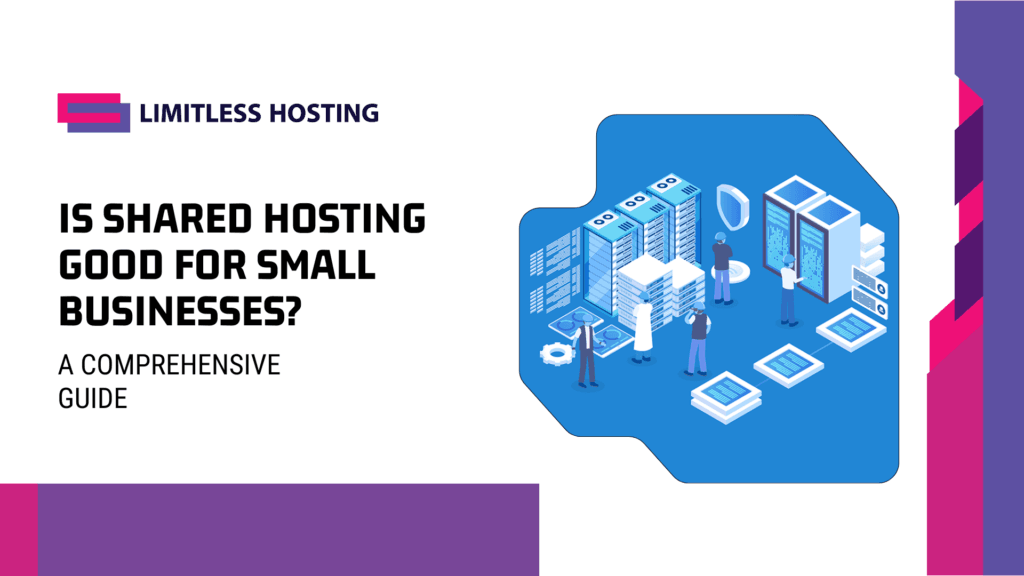
In a shared hosting environment, multiple websites reside on a single physical web server connected to the internet. All websites on that server share a pool of hardware resources, including CPU computing power, RAM (memory), storage space, and network bandwidth.
Think of shared hosting like living in an apartment building:
- The Server is the entire apartment building.
- Your Website is an individual apartment within the building.
- The Server Resources (water, electricity, central heating) are shared among all tenants in the building.
Because the infrastructure costs of running and maintaining the physical server hardware are split across dozens or hundreds of accounts, hosting providers can offer shared hosting at an extremely low monthly cost.
Modern web hosts typically provide feature-rich management software, such as cPanel shared hosting or DirectAdmin, allowing non-technical business owners to easily create business email accounts, configure domain names, manage databases, and install content management systems (CMS) like WordPress with a single click.
The Core Advantages of Shared Hosting for Small Businesses
Shared hosting remains the most popular hosting category on the web for a reason. For new, growing, and cost-conscious organizations, it offers several compelling advantages.
1. Exceptional Cost Efficiency
When starting or scaling a small business, managing cash flow is paramount. High overhead expenses can severely restrict your marketing budget or operational development. Shared hosting is undeniably the most cost-effective hosting option on the market.
Instead of paying tens or hundreds of dollars per month for a dedicated server or complex cloud configuration, shared hosting allows small businesses to get online for just a few dollars a month. This enables startups and bootstrapped entrepreneurs to allocate more capital toward product development, marketing, and customer acquisition.
2. Zero Server Administration Required
Running a server manually requires significant technical expertise in server administration, security patching, Linux terminal commands, and system architecture. Most small business owners simply do not have the time or technical background to manage server hardware and software environments.
With shared hosting, the web host handles all server maintenance, hardware upgrades, operating system updates, and security patches behind the scenes. This allows you to focus strictly on running your business and managing your website’s front-end content without worrying about back-end system management.
3. Ease of Use and Built-In Management Tools
Modern shared hosting environments are designed with simplicity in mind. User-friendly web control panels make administrative tasks straightforward:
- Creating custom email addresses (e.g.,
info@yourcompany.com). - Installing platforms like WordPress, WooCommerce, or Joomla in minutes.
- Setting up automatic daily or weekly website backups.
- Managing database files and file directories through intuitive graphical interfaces.
4. Bundled Essentials and Turnkey Features
Shared hosting packages often come packed with essential tools tailored for small businesses. Most packages include:
- Free SSL certificates (HTTPS security).
- Integrated email hosting.
- One-click script installers.
- Automated backup routines.
- Web analytics and domain routing tools.
For a business starting from scratch, having all these tools pre-configured under a single control panel eliminates friction and simplifies tech stack management.
Blazing Fast Shared Hosting.
Get the speed your website deserves with storage and optimized server resources.
Potential Drawbacks of Shared Hosting (and How to Mitigate Them)
While shared hosting offers immense value, it is not without limitations. Understanding these constraints ensures you are not caught off guard as your online presence grows.
1. Shared Resource Constraints
Because server hardware is shared among multiple accounts, your website operates within assigned resource allocations (such as memory limits and CPU thread caps). If your website experiences an unexpected influx of thousands of simultaneous visitors, it may run into resource bottlenecks, leading to slower page load times or temporary service errors.
2. The “Bad Neighbor” Effect
In poorly managed shared hosting environments, a heavy resource spike or security lapse on another customer’s website sharing the same physical server could theoretically impact server performance for everyone else.
How to avoid this: Choose a reputable hosting provider that enforces strict account isolation, hardware resource quotas, and proactive server monitoring to ensure one user cannot compromise the stability of others.
3. Limited Customization and Server Control
Shared hosting does not grant full root or administrative server access. If your business requires custom server-level software, proprietary database configurations, or specific server-side programming modules, a shared environment may restrict those modifications for security reasons.
Is Shared Hosting Right for Your Small Business?
Shared hosting is not a one-size-fits-all solution, but it is the ideal starting point for a vast majority of small business use cases.
Shared Hosting is an EXCELLENT Choice If You Have:
- Local Service Businesses: Plumbers, electricians, law firms, dental clinics, accountants, and local consulting agencies whose primary goal is providing information, capturing leads, and booking appointments.
- Brochure and Portfolio Websites: Content-focused sites showcasing products, services, client testimonials, and business contact details.
- Blogs and News Outlets: Publishers delivering content to steady, predictable readership bases.
- Early-Stage E-Commerce Stores: Online shops with moderate product catalogs and steady order volume that do not require intense server processing.
- Bootstrapped Startups: New ventures validating business ideas that need a professional web presence while preserving capital.
You May Need an Alternative (like VPS or Cloud Hosting) If You Have:
- High-volume e-commerce stores processing hundreds of transactions per minute.
- Web applications requiring specialized server software or root access.
- Websites handling sensitive financial or health data governed by strict custom server compliance standards.
- Platforms receiving millions of monthly visitors or experiencing sudden, massive traffic surges.
The Impact of Hosting Choice on Speed, Security, and SEO
Your choice of web host directly influences three vital metrics for online business success: speed, security, and search engine optimization (SEO).
1. Website Speed and User Experience
Modern web users expect pages to load almost instantaneously. Research consistently shows that as page load times increase from 1 second to 3 seconds, the probability of a user bouncing (leaving the site immediately) increases by over 30%.
Furthermore, Google uses page speed as a direct ranking factor in its search algorithms. Understanding the importance of fast website loading speed is essential when picking a host. Shared hosting built on high-speed solid-state drives (SSDs), web application acceleration, and updated PHP engines can deliver fast load times for standard business sites.
2. Robust Security Measures
Security breaches can severely damage a small business’s reputation and search engine rankings. While shared hosting means sharing hardware, high-quality hosts utilize cloud-based isolation techniques (such as CloudLinux) to isolate every single account, ensuring that security threats on one site cannot cross over to another.
To maintain strong security on shared hosting:
- Keep your CMS plugins and themes updated.
- Use strong passwords and multi-factor authentication.
- Follow essential security tips to protect your website against unauthorized access and brute-force attacks.
3. Proactive Uptime and Domain Health
Search engines and customers both demand high website availability. If search engine crawlers routinely find your site unavailable, your organic search performance will drop. To safeguard your business assets online, pairing your hosting infrastructure with a modern domain and smart uptime monitoring solution ensures you are immediately notified of any downtime or domain configuration anomalies before they hurt your business.

How to Optimize Your Small Business Website on Shared Hosting
If you determine that shared hosting fits your current budget and operational needs, taking a few extra steps can help you maximize performance, reliability, and security:
- Leverage Lightweight Content Management Systems: Keep your website clean and optimized. Avoid overly bloated themes or unnecessary background plugins that drain server resources.
- Implement Caching Solutions: Use page caching plugins (such as Litespeed Cache or WP Rocket) to convert dynamic page requests into static HTML files, dramatically reducing server CPU loads.
- Compress Media and Images: Optimize image sizes using modern formats like WebP before uploading them to keep file sizes small and load times fast.
- Utilize a Content Delivery Network (CDN): Route your static assets through a global CDN (like Cloudflare) to distribute traffic bandwidth away from your web server and decrease page load latency for international visitors.
- Plan for Traffic Growth: Understand how to handle traffic spikes on shared hosting through effective asset optimization, external database offloading, and aggressive media caching.
Shared Hosting vs. Hosting Alternatives: Making the Comparison
To help you make an informed decision, let’s briefly compare shared hosting against other popular web hosting models:
| Feature | Shared Hosting | VPS Hosting | Reseller Hosting | Dedicated Server |
|---|---|---|---|---|
| Price Point | Very Low ($) | Moderate ($$) | Moderate ($$) \vert{} High ($$$$) | |
| Technical Skill Needed | Minimal / None | Intermediate to Advanced | Low to Moderate | Advanced |
| Resource Allocation | Shared across accounts | Dedicated virtual resources | Divided among client sub-accounts | Entire physical server dedicated |
| Customizability | Standard options | Full root access | Control over client packages | Complete hardware/software control |
| Best Used For | Small businesses, blogs, small stores | High-traffic sites, custom web apps | Web agencies, web designers | Enterprise platforms, heavy databases |
If your business expands beyond the capacity of shared hosting, moving to an isolated server environment becomes necessary. In those situations, exploring VPS hosting offers predictable dedicated resources and complete server configuration control without requiring the cost of a full physical dedicated server.
Similarly, if you are a web developer or agency owner managing client websites, comparing shared hosting vs reseller hosting can help you determine whether hosting clients under a unified reseller portal makes more financial sense than maintaining individual shared accounts.
Conclusion: Is Shared Hosting Good for Small Businesses, The Verdict
So, is shared hosting good for small businesses?
Yes, absolutely. For the vast majority of small businesses launching or operating online, shared hosting offers the ideal balance of affordability, ease of use, security, and feature-rich management. It removes technical barriers to entry, allowing entrepreneurs to establish a professional digital footprint without burning through working capital.
As long as you partner with a high-performance web host that offers SSD storage, strong server isolation, reliable uptime, and responsive customer support, shared hosting can comfortably power your business website for years. When your business grows to the point where it outgrows shared hosting, transitioning to higher-tier cloud or VPS environments is a straightforward process.
Ready to start your online journey with fast, secure, and reliable web hosting? Explore our feature-packed hosting plans at Limitless Hosting to build your business website today!
Frequently Asked Questions (FAQs)
1. Is shared hosting safe for handling online business transactions?
Yes, shared hosting is safe for online transactions as long as your provider enforces strict account isolation, includes free SSL encryption (HTTPS), and maintains updated server firewall rules. If you run a WooCommerce or e-commerce store on shared hosting, ensure you process payments through secure, third-party payment gateways (such as Stripe or PayPal) rather than storing credit card details on your own server.
2. How much traffic can a shared hosting plan handle?
A well-optimized website on a quality shared hosting server can easily handle between 10,000 to 50,000 monthly visitors. Traffic capacity depends heavily on how lightweight your website is, whether you use caching plugins, and how many simultaneous visitors hit your server at the exact same second.
3. Will shared hosting hurt my website’s SEO performance?
No, using shared hosting does not inherently harm your search engine rankings. Google evaluates sites based on performance factors like loading speed, mobile usability, uptime, and content relevance. As long as your shared hosting provider delivers fast response times and high server uptime, your site can rank just as high as one on a dedicated server.
4. What is the main difference between shared hosting and VPS hosting?
In shared hosting, your website shares CPU, RAM, and storage space with other websites on the same physical server. In VPS (Virtual Private Server) hosting, a single physical server is divided into isolated virtual compartments. A VPS guarantees specific allocated resources (e.g., 2 GB RAM, 2 CPU cores) that belong exclusively to your website, regardless of what other sites on the hardware are doing.
5. Can I host multiple domain names on a single shared hosting account?
Yes, many shared hosting plans allow you to host multiple domain names and websites under a single account (often referred to as “Addon Domains”). However, keep in mind that all hosted domains will share the same underlying hardware resource pool assigned to your account.
6. How difficult is it to upgrade from shared hosting when my business grows?
Upgrading from shared hosting to a VPS or managed server is typically very simple. Reputable web hosting providers offer seamless internal migration paths, allowing your website files, databases, and configuration settings to be transferred to a higher-tier plan with minimal to zero downtime.
Read more:
- How Much Storage Does a WordPress Website Need?
- WordPress Scheduled Posts Not Publishing on Shared Hosting? How to Fix It
- What Can We Expect From CloudFest 2026?
- How Aepto Browser Extension Can Help You Understand a Website’s Hosting Stack
- CloudFest 2025 and Its Impact on Web Hosting & Cloud Infrastructure