
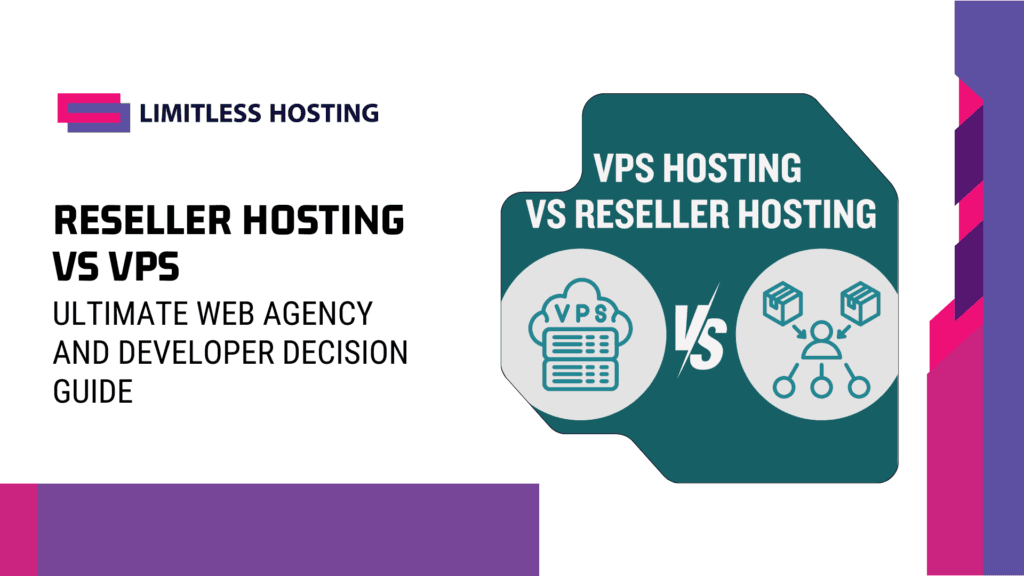
Overview: Reseller Hosting vs VPS
When launching a web development agency, managing multiple client websites, or scaling a growing digital product, you will eventually reach a critical crossroads. Standard shared hosting is no longer sufficient; you need an environment that provides more resources, higher security, isolated accounts, and room to grow.
This is where you encounter the two main pathways of multi-site infrastructure: Reseller Hosting and Virtual Private Servers (VPS).
For many developers and agency founders, choosing between these two options is highly challenging. On one hand, you have the administrative ease of a fully managed environment where you can provision client accounts with a single click. On the other hand, you have the raw power, flexibility, and absolute control of virtualized hardware. Making the wrong choice can lead to massive administrative overhead, performance bottlenecks, or security vulnerabilities that put your entire client portfolio at risk.
This comprehensive guide will break down the structural, technical, and operational differences between Reseller Hosting vs VPS. We will analyze how resource allocation works under the hood, compare the cost profiles, explore real-world agency workflows, and help you determine which model perfectly aligns with your technical expertise and business goals.
Defining the Technologies: Under the Hood
To make an informed decision, we must first understand how each hosting model is constructed and how they manage server resources.
RESELLER HOSTING MODEL:
[ Single Server OS ] ➔ [ Control Panel (DirectAdmin) ] ➔ [ Isolated User Accounts ]

VPS HOSTING MODEL:
[ Physical Bare Metal ] ➔ [ Hypervisor (KVM) ] ➔ [ Independent Guest OS (VPS 1, VPS 2) ]
What is Reseller Hosting?
Reseller hosting is essentially a structured form of shared hosting. As a reseller, you purchase a large block of server resources (disk space, bandwidth, and account allocations) from a host. You are then given a master control panel—such as DirectAdmin or WebHost Manager (WHM)—which allows you to carve up those resources into smaller, individual hosting accounts to resell to your clients or use for your own projects.
In this model, the underlying operating system, server software (like LiteSpeed or Apache), security configurations, and database engines are fully managed by the parent host. Your clients receive their own independent control panels to manage their files and databases, completely unaware that you are reselling the resources. It is highly streamlined, requiring almost no command-line systems administration.
What is VPS (Virtual Private Server) Hosting?
A Virtual Private Server uses a virtualization layer—known as a hypervisor—to partition a single, powerful physical server into multiple isolated virtual machines. Each VPS runs its own independent Operating System (such as AlmaLinux, Ubuntu, or Windows), has its own dedicated resource guarantees (RAM, CPU cores, and SSD storage), and operates with full “root” access.
With a VPS, you do not share your operating system or server software with any other user on the machine. You have absolute control to install custom software, modify system kernels, configure bespoke firewalls, and run whatever services you require. However, this power comes with a trade-off: unless you pay for expensive management add-ons, you are responsible for securing, patching, monitoring, and maintaining the server software yourself.
Blazing Fast VPS Hosting.
Get the speed your website deserves with storage and optimized server resources.
Technical Comparison: Key Decision Pillars
To weigh your options effectively, let’s analyze the core operational areas where Reseller Hosting and VPS diverge.
A. Resource Allocation and Performance
How your server handles traffic spikes and processes database queries depends entirely on how resources are divided.
- Reseller Hosting: In this environment, all reseller accounts on the server share the physical CPU and RAM. To prevent one account from hogging resources, hosts use software layers like CloudLinux to set strict performance ceilings per account. While this ensures stability, a sudden surge of traffic across multiple client sites can strain your limits. To learn more about how shared resources compare to resold environments, read our guide on shared hosting vs reseller hosting.
- VPS Hosting: A VPS provides guaranteed hardware allocations. If your VPS has 4 GB of RAM, that memory belongs exclusively to your virtual machine. Neighboring virtual machines on the same node cannot touch your resources. This makes a VPS highly resilient to sudden traffic spikes, providing consistent, stable performance for database-heavy applications like WooCommerce or custom Node.js frameworks.
B. Administrative Ease vs. Technical Overhead
The daily administrative requirements of your hosting model will dictate how much time you spend coding versus managing servers.
- Reseller Hosting: This is a “no-code” server environment. The host handles software updates, firewall patches, kernel upgrades, and mail server configurations. You focus entirely on customer management, site development, and deployment. If a server-level error occurs, you simply open a ticket with your provider’s support team.
- VPS Hosting: Operating a VPS requires solid Linux systems administration skills. You must be comfortable working within a Command Line Interface (CLI) via SSH. You are responsible for installing control panels, setting up web servers, optimizing databases, configuring backups, and applying security patches. If a configuration error takes your server offline, the responsibility to diagnose and fix the issue falls squarely on your shoulders.
C. Account Isolation and Security
In web hosting, the “noisy neighbor” effect and security cross-contamination are major concerns.
- Reseller Hosting: Because all your clients reside on the same operating system, an elite security system is required to prevent cross-account contamination. High-quality providers use CloudLinux to cage users, ensuring that if one client site is compromised due to a weak password, the attacker cannot navigate the directory tree to access neighboring client accounts.
- VPS Hosting: A VPS offers the gold standard in virtualization-level isolation. Because each VPS is isolated by a hypervisor (like KVM), there is zero possibility of cross-contamination between virtual servers. If you are hosting highly sensitive e-commerce applications or corporate portals, the security isolation of a dedicated virtual machine is highly recommended.
The Agency Business Model: Billing, Margins, and Management
For web designers and digital agencies, hosting is not just a technical requirement—it is an incredible source of high-margin recurring revenue. Let’s analyze how both hosting models function under an agency workflow.
Managing Client Billing with Automation
If you have 10, 50, or 100 clients, manually invoicing them for hosting every month is a massive waste of administrative time. Both hosting environments can integrate with automated billing platforms to streamline this process.
When you invest in reseller hosting, many providers bundle your account with a license for a billing system like WHMCS or Blesta. By utilizing Blesta, you can automate user registration, send recurring invoices, accept card payments, and automatically suspend accounts for non-payment. This creates a completely hands-off, passive revenue stream for your business.
Porting and Provisioning
- With Reseller Hosting: Adding a new client is instantaneous. You log into your DirectAdmin master panel, enter the client’s domain name, set their resource limits, and click “Create.” The system automatically provisions their directory, sets up their DNS records, and generates their unique login credentials.
- With a VPS: Provisioning can be more complex. You must first install a control panel (like DirectAdmin, cPanel, or Virtualmin) on your VPS. Once installed, you can create user accounts similarly to a reseller account. However, you must carefully monitor the server’s overall CPU and RAM consumption. As you add more client sites to your VPS hosting server, you may eventually need to upgrade your virtual hardware resources to prevent slowdowns.
Cost Efficiency and Scaling Realities
Understanding the financial trajectory of both hosting styles is critical for long-term budgeting. For a deeper dive into the financials, consider a reseller hosting profitability analysis to inform your decision.
FINANCIAL PATHWAYS:
Reseller Hosting: Flat, Predictable, Lower Entry Cost (Software licenses bundled)
VPS Hosting: High-Performance, Scalable, Extra Costs (Control panel licenses separate)
The Cost of Software Licensing
A major hidden cost in web hosting is software licensing. To run an agency smoothly, you need control panels, billing software, and security tools.
- Reseller Packages: Providers typically bundle control panel licenses (like DirectAdmin), automated backups, and advanced security suites (like Imunify360) directly into your package. This gives you a highly predictable, flat-rate annual cost with zero licensing surprises.
- Virtual Private Servers: When you deploy a VPS, you are paying for the raw hardware. If you want a graphical interface to manage your clients, you must purchase control panel licenses separately. Depending on the panel you choose (cPanel, for example, charges per-account licensing fees), these software licenses can easily cost more than the virtual server itself. If you want to keep costs lean while scaling your VPS, utilizing our optimized premium hosting DirectAdmin resources is a highly efficient way to get top-tier control panel access without the financial strain.
Security Integration: The Server and Domain Boundary
No matter which hosting model you choose, your server security is only as strong as your domain security. An attacker does not need to compromise your root server to take down your client’s web presence; if they can gain access to your client’s domain registry, they can simply redirect the nameservers to a malicious host.
This risk is particularly high for agencies managing dozens of client domains across multiple registrars. To build an impenetrable perimeter, server monitoring must be paired with proactive domain intelligence.
By utilizing advanced brand defense platforms, you can secure this entry point. For example, integrating your hosting with domain protection & theft guard services ensures that you receive real-time alerts the moment a client’s nameservers, registry locks, or registrar profiles are modified. This double-layered shield protects your digital infrastructure from the server kernel to the domain root.
Head-to-Head Comparison Table
| Feature / Metric | Reseller Hosting | VPS Hosting |
|---|---|---|
| Target Audience | Web agencies, designers, startups | Developers, sysadmins, complex apps |
| Technical Difficulty | Low (No-code graphical panel) | High (Requires CLI & Linux administration) |
| Resource Isolation | User-level (Shared physical OS) | Kernel-level (KVM Virtualization) |
| Root Access | No | Yes (Full control over server configurations) |
| License Bundling | Yes (Panels & billing tools included) | No (Licenses must be purchased separately) |
| Server Maintenance | 100% Managed by the parent host | Self-managed (System patches & security are your job) |
Verdict: How to Choose the Ideal Model for Your Business
To finalize your decision, analyze your business against the following use-case scenarios:
Choose Reseller Hosting If:
- You want to focus on design and coding: You do not want to spend your weekends debugging server configurations, managing software updates, or patching security holes.
- You want a low, predictable entry cost: You need a complete, white-labeled agency setup—including billing software and unlimited SSLs—for a simple, flat annual fee.
- Your clients run standard websites: Your portfolio consists of WordPress blogs, corporate landing pages, and small-to-medium e-commerce stores that run perfectly on highly optimized shared platforms.
Choose a VPS If:
- You have systems administration expertise: You are comfortable working inside a Linux terminal and know how to secure a server from scratch.
- Your applications require custom software: You need to run specialized server-side software, such as Node.js daemons, Python scripts, custom database engines (PostgreSQL, MongoDB), or specialized caching systems (Redis, Memcached).
- You require absolute performance isolation: You are hosting high-traffic applications that experience massive, unpredictable database query spikes, requiring guaranteed, un-throttled CPU and RAM allocations.
Conclusion: Build Your Digital Future with Limitless Hosting
Ultimately, there is no single “winner” in the Reseller vs. VPS debate. The ideal choice depends entirely on your technical comfort level, your operational budget, and the specific needs of the websites you host.
At Limitless Hosting, we provide high-performance solutions for both paths. Whether you want to launch a streamlined agency using our ultra-secure, white-labeled DirectAdmin reseller channels, or deploy your custom web applications on our blazing-fast, virtualized SSD nodes, our infrastructure is built to scale with your ambition.
Don’t let technical limitations hold back your business growth. Select your ideal infrastructure today, configure your automated billing, and build a web hosting business that is truly limitless.
Frequently Asked Questions (FAQs)
1. Can I upgrade from Reseller Hosting to a VPS later?
Yes, absolutely. As your agency scales, you can easily migrate your accounts from a reseller server onto your own VPS. If you utilize the same control panel (such as DirectAdmin) on both platforms, the migration process is incredibly smooth, allowing you to transfer entire backup files with zero data loss or downtime.
2. Is Reseller Hosting slower than a VPS?
Not necessarily. On a high-quality platform that utilizes premium LiteSpeed web servers, SSD storage, and CloudLinux isolation, reseller accounts can load websites just as fast as a VPS. A VPS only becomes faster when your website requires raw, dedicated processing power for complex, concurrent database queries that exceed reseller account resource limits.
3. What is “White-Label” hosting, and does it apply to both?
White-labeling allows you to brand the hosting services as your own. In reseller hosting, this is standard; you can create custom private nameservers (e.g., ns1.yourbrand.com) and replace the host’s logo with your own in the control panel. On a VPS, you have total root access, meaning you can fully customize and brand the server’s control panels and system emails as you see fit.
4. Do I need an external billing system to run a reseller business?
While you can bill your clients manually using standard accounting software, using an automated web host billing platform like Blesta is highly recommended. It automates domain registrations, sends invoice reminders, processes card payments, and handles service suspensions, saving you dozens of hours of manual labor every month.
5. Why should I use KVM virtualization for my VPS?
KVM (Kernel-based Virtual Machine) is a full virtualization technology. Unlike container-based virtualization (like OpenVZ), KVM ensures that your VPS operates as a completely independent physical machine. This guarantees that your RAM and CPU resources cannot be “oversold” by the host, giving you reliable, isolated performance.
6. How does domain hijacking threaten my hosting clients?
Even if your reseller server or VPS is highly secure, an attacker who gains access to your client’s domain registration can easily alter their DNS settings, redirecting their traffic to copycat servers to steal data. Utilizing advanced domain protection & theft guard systems ensures your domain configurations remain locked down, creating a unified defense for your hosting business.
Read more:
- Is Shared Hosting Good for Small Businesses? A Comprehensive Guide
- How to Use Google Search Console: A Comprehensive Guide to Mastering Your Website’s SEO
- Top SiteGround Alternatives: Higher Performance & Fairer Pricing
- How to Create a WordPress Landing Page: Easy Guide to Speed, Conversions, and Technical Design
- AI Is Quietly Revolutionizing Online Hosting Infrastructure Right Now