

Google Search Console (GSC) is an indispensable, free tool for anyone serious about their website’s performance in Google Search. This foundational section guides you through the essential first steps, from understanding GSC’s core purpose to successfully verifying your website and submitting crucial sitemaps. Proper setup ensures Google can effectively crawl, index, and rank your content, laying the groundwork for robust SEO.
Understanding Google Search Console’s Role in SEO
Google Search Console (GSC) is an indispensable, free SEO tool from Google, serving as a vital communication channel between your website and the search giant. It offers a transparent window into how Google views and interacts with your site, providing critical insights into indexing status, crawl errors, and overall SEO health.
GSC allows you to proactively submit sitemaps, request re-indexing, and receive timely alerts about issues impacting visibility.
Through its comprehensive reports, you can meticulously track performance metrics like clicks, impressions, and average position, enabling you to refine your SEO strategy, troubleshoot problems, and enhance your website’s visibility. GSC is a fundamental component of any effective SEO strategy, empowering data-driven decisions to boost organic traffic.
How To Use Google Search Console: Proving Ownership to Google
- Understand Website Verification: Proving website ownership is crucial for Google Search Console (GSC) setup, granting access to vital data and communication from Google.
- HTML File Upload: Download the GSC verification file, upload to your site’s root directory via FTP/cPanel, then verify. (Pros: Simple. Cons: Server access needed, file vulnerable.)
- HTML Tag Method: Copy the GSC meta tag, paste it into your homepage’s <head> section, then verify. (Pros: Easy for CMS. Cons: Tag can be removed.)
- Google Analytics Verification: If your site uses Google Analytics with “Edit” permissions, GSC can often verify automatically. (Pros: Convenient GSC setup. Cons: Requires correct GA setup.)
- Google Tag Manager Verification: If Google Tag Manager is deployed with “Publish” permissions, GSC can use it for website verification. (Pros: Efficient for GTM users. Cons: Needs proper GTM.)
- DNS Record Verification: Copy the GSC TXT record, add it to your domain’s DNS configuration via your registrar. (Pros: Most secure, persistent website verification. Cons: Registrar access, propagation delay.)
- Troubleshooting & Best Practices: If verification fails, recheck steps, placement, or wait for DNS propagation. Prefer DNS record for security and limit GSC access.
Leveraging the Performance Report: Understanding Your Search Presence
The Performance report in Google Search Console is a goldmine of data, offering unparalleled insights into how your website appears and performs in Google Search results. This section delves into interpreting key metrics like clicks, impressions, CTR, and average position. Learn how to segment this data to uncover user behavior patterns, identify high-performing content, and pinpoint areas for strategic SEO improvement.
Analyzing Search Queries and Clicks: What Users Are Searching For
- Navigating the Performance Report: To begin your keyword analysis, access the Performance report within Google Search Console (GSC). This powerful tool provides a comprehensive overview of your website’s visibility in Google Search. Here, you can view crucial metrics such as total clicks (how many times users clicked your site), total impressions (how many times your site appeared in search results), average CTR (Click-Through Rate, the percentage of impressions that resulted in a click), and your site’s average position in search results. The primary table will display your top search queries, offering direct insight into what users are typing to find your content.
- Interpreting Key Metrics for User Intent: Understanding these metrics is fundamental for effective Search Engine Optimization (SEO). High impressions with low clicks or CTR might indicate that your title tags or meta descriptions aren’t compelling enough, or that your content isn’t perfectly aligned with the user’s intent for those specific search queries. Conversely, queries with strong CTR and a good average position highlight content that is performing well. By analyzing these patterns, you can gain valuable insights into user behavior and the specific needs your content is fulfilling or failing to address.
- Identifying Untapped Keyword Opportunities: The Performance report is a goldmine for finding new keyword opportunities. Look for search queries with high impressions but a lower average position (e.g., positions 10-20). These are terms where your site is visible but not ranking highly enough to capture significant traffic. By optimizing existing content or creating new, targeted pages around these terms, you can significantly improve your visibility and clicks. Pay close attention to variations and related phrases that users are searching for, as these can reveal new content angles.
- Leveraging Long-Tail Keywords for Enhanced Content: Don’t overlook the power of long-tail keywords – longer, more specific phrases that users type into search engines. While individual long-tail keywords may have lower search volume, they often indicate higher user intent and can lead to better conversion rates. The Performance report helps you identify these specific search queries. Incorporating relevant long-tail keywords into your content strategy, either by refining existing articles or developing new ones, can help you capture highly qualified traffic and improve your overall keyword analysis and SEO performance.
Filtering Data for Deeper Insights: Device, Country, and Page Analysis
Mastering the Google Search Console (GSC) Performance report’s filtering capabilities is essential for deeper data analysis. This powerful feature allows you to segment data by crucial dimensions like device type, country, and individual pages, moving beyond aggregate statistics to uncover specific insights and identify areas for targeted optimization.
Applying filters for device type, mobile, desktop, or tablet, provides invaluable insights into content performance across different user contexts. This helps identify if your mobile experience needs optimization or if desktop users engage differently. Similarly, country targeting pinpoints geo-specific performance trends, helping you understand audience demographics and tailor content for international markets.
Further refining your view by filtering for specific pages enables granular analysis, revealing which content resonates most with particular audiences or devices.
For instance, discovering a blog post performs exceptionally well on mobile in a certain country directly informs content updates, new topic generation, and technical SEO adjustments like optimizing page speed or improving international targeting with hreflang tags. This transforms raw GSC data into actionable strategies for improved search presence.
Tracking Core Web Vitals: Enhancing User Experience and SEO
- Understanding Core Web Vitals: These critical metrics, including Largest Contentful Paint (LCP), First Input Delay (FID), and Cumulative Layout Shift (CLS), are fundamental to Google’s assessment of `page experience`. They directly measure key aspects of `user experience` related to `website speed`, responsiveness, and visual stability, playing a significant role in `Search Engine Optimization (SEO)` and how users interact with your site.
- Navigating the GSC Report: The `Core Web Vitals` report in `Google Search Console (GSC)` is your primary tool for monitoring these metrics. Located under the ‘Experience’ section, it categorizes your pages as ‘Good’, ‘Needs improvement’, or ‘Poor’. Interpreting these statuses helps you quickly identify pages that require attention to enhance their `page experience` and overall performance.
- Impact on User Experience and SEO: Strong `Core Web Vitals` scores are crucial for delivering an excellent `user experience`, ensuring your site loads quickly, responds promptly to interactions, and maintains visual stability. Pages with ‘Good’ scores are favored by Google’s ranking algorithms, directly influencing your `search rankings` and potentially leading to higher visibility and better engagement.
- Actionable Improvement Strategies: To boost your `Core Web Vitals` performance:
- For `LCP` (Largest Contentful Paint), optimize server response times, compress images, and implement lazy loading for off-screen content.
- To improve `FID` (First Input Delay), minimize JavaScript execution, defer non-critical scripts, and reduce main thread work to ensure quick interactivity.
- For `CLS` (Cumulative Layout Shift), ensure images and video elements have explicit dimensions, avoid injecting content above existing elements, and pre-load custom fonts to prevent unexpected layout shifts.
Blazing Fast Shared Hosting.
Get the speed your website deserves with storage and optimized server resources.
Mastering Indexing: Ensuring Google Finds and Understands Your Content
For your content to rank, Google must first find and index it. This section focuses on GSC’s powerful indexing tools, which are vital for ensuring your valuable pages are discoverable. From debugging specific URLs with the URL Inspection tool to understanding comprehensive Indexing Coverage reports and controlling crawler access via robots.txt, you’ll learn to optimize your site for maximum visibility in search results.
The URL Inspection Tool: Debugging Individual Page Issues
- Access the URL Inspection Tool
In Google Search Console (GSC), navigate to the “URL Inspection” tool. This is your starting point for understanding how Google views specific pages. - Enter the URL for Analysis
Paste the full URL of the page you want to investigate into the search bar. The `URL Inspection tool` will then fetch data from Google’s index for that specific page. - Review the Initial Index Status
The report displays the current `index status`, indicating if the ‘URL is on Google’ or ‘URL is not on Google’. It also shows the `canonical URL` Google has chosen, providing immediate insight into its indexing eligibility. - Inspect Google’s Indexed Version Details
Examine details of Google’s last crawl to identify `indexing issues` like mobile usability errors, structured data problems, or if the page was blocked. This helps in `debugging pages` effectively. - Utilize ‘Test Live URL’ for Real-time Debugging
Click “Test Live URL” to perform a `live test`, simulating Googlebot’s current crawl and render. This is crucial for verifying if recent fixes have resolved issues, including `Indexing coverage` problems, before requesting re-indexing. - Request Indexing for Updates
If the `live test` confirms the page is valid, click “Request Indexing.” This prompts Google to recrawl and consider the updated or new page for inclusion in the search index. - Address Issues and Monitor
Act on findings from the `URL Inspection tool` to fix problems. Re-inspect pages after changes to ensure correct indexing and continued error-free status.
Understanding Indexing Coverage Reports: Identifying and Fixing Errors
- Understanding Indexing Coverage Statuses: The Google Search Console (GSC) Indexing coverage report provides critical insights into how Google indexes your site. It categorizes URLs into four main statuses: ‘Error’ (e.g., server errors, 404s preventing indexing), ‘Valid with warnings’ (indexed but with minor issues like robots.txt blocks), ‘Valid’ (successfully indexed), and ‘Excluded’ (intentionally or unintentionally omitted, often due to canonicalization, noindex tags, or quality concerns). Regularly reviewing these statuses helps pinpoint immediate issues affecting your site’s visibility and overall indexability.
- Common Indexing Errors and Their Causes: Several issues can lead to a page not indexed. Key indexing errors include ‘Submitted URL not found (404)’, indicating a broken link in your sitemap. ‘Blocked by robots.txt’ prevents Googlebot from crawling, potentially wasting crawl budget. In the ‘Excluded’ category, ‘Duplicate, submitted URL not selected as canonical’ highlights canonicalization problems, where Google prefers another URL. Another common exclusion is ‘Discovered – currently not indexed’, meaning Google found the page but hasn’t processed it yet.
- Diagnosing and Resolving Indexing Issues: To fix indexing errors, click on the specific error in the Indexing coverage report to view affected URLs. For 404s, update sitemaps or implement 301 redirects. If ‘Blocked by robots.txt’, adjust your robots.txt file. For canonicalization issues, ensure correct `rel=”canonical”` tags point to your preferred versions. Use GSC’s URL Inspection tool for individual page diagnosis and to request re-indexing after applying fixes. Proactive management of your crawl budget and refining your canonicalization strategy are essential for improving indexability.
Optimizing Robots.txt for Crawler Control: Directing Googlebot
The Robots.txt file serves as a crucial instruction manual for search engine crawlers, including Googlebot, dictating which parts of your website they are permitted to access and crawl. By utilizing specific crawl directives such as disallow and allow, webmasters can exert precise crawl control. This prevents unwanted or low-value pages from being processed by search engines, ensuring your crawl budget is efficiently spent on important content while sensitive or duplicate pages remain unindexed.
Best practices for managing your Robots.txt file involve careful consideration to avoid inadvertently blocking critical content. While it’s excellent for preventing the crawling of administrative sections or staging environments, it should never be relied upon for security, as the file is publicly accessible. To prevent costly errors, Google Search Console (GSC) offers an invaluable GSC robots.txt tester. This tool allows you to simulate how Googlebot will interpret your file, helping you identify and fix any syntax errors or unintended blocks before they impact your site’s indexability, ensuring your directives are correctly applied.
It’s vital to understand the distinction between disallow in Robots.txt and the noindex meta tag. A disallow directive prevents crawlers from accessing a page, meaning they won’t see its content or any noindex tags within it. Consequently, a page disallowed in Robots.txt might still appear in search results if it’s linked from other indexed pages. For guaranteed removal from search results, even if the page is linked, you must use a noindex meta tag or header, which requires the crawler to access the page to read the directive. This nuanced difference is key to effective crawl control and indexing management.
Optimizing for User Experience: Mobile Usability and Page Experience
In today’s mobile-first world, a superior user experience is paramount for SEO success. This section explores how Google Search Console helps you fine-tune your website for optimal mobile usability and overall page experience. Discover how to identify and resolve common mobile-specific issues, delve deeper into Core Web Vitals data, and understand other crucial page experience signals that influence your search rankings.
Addressing Mobile Usability Issues: Ensuring a Seamless Mobile Experience
- Prioritizing Mobile-Friendliness: In today’s digital landscape, ensuring excellent mobile usability is paramount for both SEO and user satisfaction. With Google’s shift to mobile-first indexing, the mobile version of your site is now the primary one used for ranking. A seamless experience on smartphones and tablets is crucial to avoid penalties and retain visitors, directly impacting your search engine visibility and conversion rates.
- Identifying Common Mobile Usability Errors via GSC: Google Search Console (GSC) is an invaluable tool for pinpointing specific mobile usability issues. Common errors reported include ‘Text too small to read’, which frustrates users trying to consume content; ‘Clickable elements too close together’, leading to accidental taps; and ‘Content wider than screen’, forcing users to scroll horizontally. Addressing these directly improves the user experience and signals site quality to search engines.
- Implementing Practical Solutions for Enhanced Mobile Experience: To resolve these issues, start by adopting a robust responsive design, which automatically adjusts your layout to various screen sizes. Ensure proper viewport configuration in your HTML to dictate how content scales. For ‘Text too small to read’, use relative font sizes (e.g., em, rem) and ensure sufficient contrast. To fix ‘Clickable elements too close together’, increase padding or margins around tappable elements like buttons and links. Regularly use Google’s mobile-friendly test to validate your fixes and maintain optimal performance across all devices.
Interpreting Core Web Vitals Data: Practical Steps for Improvement
To truly master your website’s SEO, understanding and acting on Core Web Vitals data from Google Search Console (GSC) is paramount. These user experience metrics, Largest Contentful Paint (LCP), First Input Delay (FID), and Cumulative Layout Shift (CLS), directly impact user satisfaction and search rankings.
Tools like GSC’s Core Web Vitals report, PageSpeed Insights, and Lighthouse are indispensable for diagnosing the root causes of poor scores and identifying what’s hindering your website performance.
Addressing LCP optimization often involves a multi-pronged approach to page speed optimization. Prioritize image optimization by compressing files, utilizing next-gen formats like WebP, and implementing lazy loading for off-screen images. Improving server response times through efficient hosting, caching mechanisms, and Content Delivery Networks (CDNs) is also crucial.
For CLS fixes, always specify dimensions for images and video elements to prevent unexpected layout shifts. Additionally, preloading critical fonts and avoiding the dynamic injection of content above existing elements can significantly reduce CLS. Deferring non-critical CSS and JavaScript can enhance FID by ensuring the main thread is free to respond to user interactions promptly.
Effective Core Web Vitals improvement is not a one-time fix but an ongoing process. Continuous monitoring of these vital user experience metrics within GSC is essential to track the impact of your changes.
Embrace an iterative approach, making small, targeted adjustments and then re-evaluating their effect on LCP, FID, and CLS scores. This commitment to sustained website performance ensures a superior user experience, reinforcing your overall Search Engine Optimization (SEO) efforts and contributing to better visibility in search results.
Understanding Page Experience Signals: Beyond Core Web Vitals
While Core Web Vitals are central, the broader concept of page experience encompasses more, including robust HTTPS security, ensuring encrypted data transmission. Maintaining safe browsing standards, free from malware, is equally crucial. Furthermore, the absence of intrusive interstitials, pop-ups that obstruct content, is vital for an uninterrupted user journey. These foundational elements collectively shape a positive page experience, fostering user trust and engagement.
Google Search Console (GSC) offers comprehensive reporting on these critical page experience signals. Beyond Core Web Vitals, GSC alerts site owners to HTTPS security issues like mixed content and flags safe browsing violations, indicating potential compromises.
It also identifies instances of intrusive interstitials, highlighting their negative impact on user signals and overall Search Engine Optimization (SEO). These non-Core Web Vitals signals collectively influence how search engines assess your site’s quality and user-friendliness, directly affecting search rankings.
To cultivate an optimal page experience, best practices mandate implementing site-wide HTTPS security as a fundamental step. Regularly audit your site for vulnerabilities and promptly address any GSC safe browsing warnings to protect users and your reputation.
Critically, evaluate all pop-ups, opting for non-intrusive alternatives that enhance, rather than detract from, the user experience. By proactively managing these aspects, you reinforce trust and authority with both your audience and search engines, solidifying your site’s standing as a reliable resource.
Troubleshooting and Security: Protecting Your Site from Penalties and Threats
Google Search Console serves as your website’s vigilant guardian, alerting you to critical issues that could harm your search rankings or user trust. This section guides you through diagnosing and resolving serious problems, from manual actions imposed by Google to security breaches like malware. Learn how to interpret GSC’s warnings and take swift, effective action to protect your digital assets and maintain a healthy online presence.
Identifying and Resolving Manual Actions: Recovering from Penalties
Understand Manual Actions and Their Impact: Manual actions are direct interventions by Google when your website violates its webmaster quality guidelines. These can stem from various issues, including `spam issues`, `unnatural links` (often resulting from `link schemes`), or thin content. The impact of these `Google penalties` is severe, leading to a drastic drop in search visibility or even de-indexing from search results.
Locate Manual Action Reports in GSC: The first step to recovery is identifying the specific `manual actions` affecting your site. Navigate to `Google Search Console (GSC)`, then go to the “Security & Manual Actions” section and click on “Manual Actions.” Here, Google will provide details about any penalties applied to your site, including the type of action and affected pages or sections.
Identify the Cause of the Manual Action: Once you know the type of `manual actions`, conduct a thorough audit to pinpoint the exact cause. For `unnatural links`, review your backlink profile for suspicious or low-quality links. For `spam issues` or thin content, examine your site’s content quality, keyword stuffing, or any deceptive practices. This step requires meticulous investigation to ensure no stone is left unturned.
Rectify the Issue Thoroughly: Addressing the root cause is critical. If the penalty is due to `unnatural links`, use GSC’s disavow tool to tell Google to ignore specific backlinks. For content-related `spam issues`, improve content quality, remove duplicate or low-value pages, and eliminate any deceptive tactics. Document every change you make, as this will be crucial for your `reconsideration request`.
Submit a Reconsideration Request: After you are confident that all issues have been completely resolved, submit a `reconsideration request` through `Google Search Console`. In your request, clearly explain the `manual actions` you received, detail the steps you took to fix them, and demonstrate how your site now fully complies with Google’s guidelines. Transparency and thoroughness are key; Google will review your submission, which can take some time, so patience is essential during this recovery process.
Monitoring Security Issues: Safeguarding Your Website from Malware
Website security is paramount for maintaining user trust and search engine rankings. Google Search Console (GSC) plays a critical role in safeguarding your site by alerting you to potential security issues such as malware detection, hacked site content, or phishing attacks. These threats can severely damage your site’s reputation, user experience, and SEO performance. GSC’s proactive monitoring helps you identify and address these vulnerabilities swiftly, preventing long-term damage and ensuring a safe browsing experience for your visitors.
To access the Security issues report, navigate to the “Security & Manual Actions” section within Google Search Console. Here, GSC will clearly list any detected problems, providing details on the type of issue and affected pages. If security issues are identified, immediate action is crucial.
First, thoroughly clean your site to remove any malicious code or hacked content. Next, secure any vulnerabilities that allowed the breach, such as outdated software or weak passwords. Once your site is clean and secure, you must request a review from Google through the same report to remove any warnings or manual actions associated with the malware detection.
Proactive website security measures are essential to prevent future incidents. Regularly update your content management system, plugins, and themes, use strong, unique passwords, and implement a robust firewall. Consistent vigilance and prompt action, guided by Google Search Console’s alerts, are key to maintaining a secure and trustworthy online presence, protecting your site from various phishing attacks and other digital threats.
Analyzing Crawl Stats: Understanding Googlebot’s Activity
- Understanding the Crawl Stats Report: The Crawl stats report in Google Search Console (GSC) offers a crucial window into how Googlebot interacts with your website. It details key metrics such as total crawl requests made by Googlebot, the total download size of your content, and the average response time of your server. This data helps you gauge the frequency and intensity of Googlebot’s visits, providing insights into your site’s discoverability.
- Interpreting Googlebot’s Activity: Analyzing these crawl stats allows you to understand Googlebot’s behavior. A high number of crawl requests coupled with a slow average response time could indicate server load issues, potentially hindering Googlebot’s ability to efficiently index your content. Conversely, a low number of requests might suggest that Googlebot isn’t finding new or updated content frequently enough. Monitoring the host status section is also vital for identifying any server-side errors that prevent successful crawling.
- Optimizing Your Crawl Budget: Effective crawl budget optimization is essential to ensure Googlebot prioritizes your most valuable pages. By understanding which sections of your site Googlebot spends the most crawl time on, you can identify areas for improvement. Tips include removing low-value pages from your sitemap, using noindex tags for unimportant content, and improving internal linking to guide Googlebot towards critical pages. A faster site response time and clean site architecture directly contribute to more efficient crawling, allowing Googlebot to discover and index your important content more effectively.
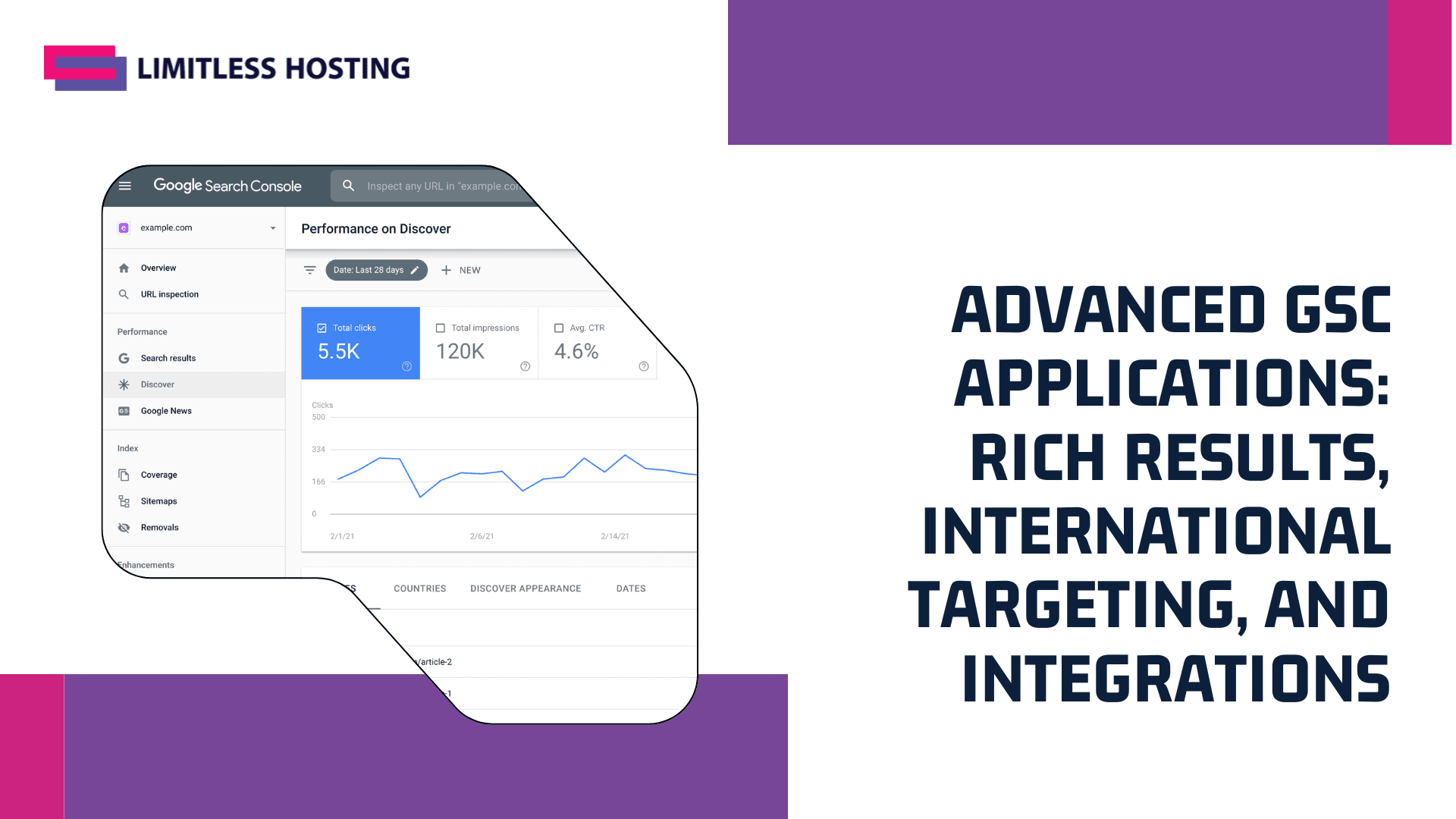
Advanced GSC Applications: Rich Results, International Targeting, and Integrations
Beyond basic monitoring, Google Search Console offers advanced functionalities that can significantly amplify your SEO efforts. This section explores how to leverage GSC for enhancing your appearance in search results with rich snippets, effectively targeting global audiences with international settings, and gaining a more holistic data perspective by integrating with other vital tools like Google Analytics. Elevate your SEO strategy with these powerful features.
Optimizing for Rich Results: Enhancing Your SERP Presence
To truly enhance your website’s visibility and appeal in search engine results, mastering rich results is paramount. These visually distinctive SERP features go beyond standard blue links, presenting additional information directly in the search results, such as star ratings for products, FAQ toggles, recipe details, or event schedules. By making your content stand out with these rich snippets, you significantly increase your potential click-through rates (CTR) and overall user engagement.
The magic behind these compelling displays lies in structured data markup, a standardized format for providing information about a page and classifying its content. Implementing the correct schema markup tells search engines precisely what your content is about, enabling them to display it in more engaging ways.
Google Search Console (GSC) provides invaluable tools for monitoring your rich results performance. Within GSC, dedicated Rich results reports allow you to track the validity of your implemented structured data. These reports highlight any errors or warnings that might prevent your rich snippets from appearing, such as missing required properties or invalid values.
Regularly checking these reports is a critical aspect of effective Search Engine Optimization (SEO), ensuring that your efforts to implement schema markup are successful and that your content is eligible for these enhanced SERP features. Identifying and rectifying these issues promptly is crucial for maintaining your competitive edge.
Implementing structured data requires careful attention to detail, but the benefits for your SERP presence are substantial. Google’s Rich Results Test tool (formerly structured data testing tool) is an essential resource for validating your schema markup before deployment, allowing you to preview how your content might appear as rich results and catch errors early.
Focus on marking up key elements of your content that are most relevant to your audience, whether it’s product reviews, how-to guides, or local business information. By diligently implementing and testing your structured data, you empower your content to truly stand out, driving more qualified traffic and improving your overall SEO performance.
International Targeting and Hreflang: Reaching Global Audiences
Expanding your website’s reach globally presents significant opportunities and unique challenges for Search Engine Optimization (SEO). Effective international targeting is crucial for connecting with diverse audiences across different regions and languages.
Without proper multilingual SEO strategies, search engines may struggle to serve the correct content version to users based on their location or preferred language, leading to missed traffic. This is where hreflang tags become indispensable, acting as a vital signal to Google about the relationship between different language or region-specific versions of your pages.
Google Search Console (GSC) is instrumental in managing your international targeting efforts. While the dedicated International Targeting report is now legacy, the importance of hreflang attributes persists.
These tags allow you to specify the language and optional geographical restrictions for a webpage, ensuring users in Germany see the German version and those in the UK see the English-UK version. Correct implementation of hreflang tags is essential for effective country targeting and language targeting, helping Google understand which content is most relevant for a given search query from a specific locale.
Best practices for hreflang implementation include using absolute URLs, ensuring bidirectional linking, and including a self-referencing hreflang tag. It’s also critical to specify an x-default tag for users whose language or region doesn’t match any specified versions.
Although the legacy GSC report is gone, you can still monitor hreflang status indirectly through other GSC reports, like the Index Coverage report, and by using the URL Inspection tool. Regularly auditing your hreflang tags helps prevent common errors such as incorrect language codes or missing return links, which can hinder multilingual SEO performance and proper geo-targeting.
Integrating GSC with Google Analytics: A Holistic View of Your Data
For a truly comprehensive understanding of your website’s performance, integrating Google Search Console (GSC) with Google Analytics is an indispensable step. This powerful Google Analytics integration bridges the gap between how users find your site and what they do once they arrive, offering a holistic view of your Search Engine Optimization (SEO) efforts.
GSC provides invaluable insights into search queries, impressions, clicks, and average position in search results, while Google Analytics tracks on-site user behavior, such as page views, bounce rate, and conversion paths. By linking these two platforms, you gain a unified reporting dashboard that reveals the full user journey, from initial search to on-site engagement, enabling more informed strategic decisions.
Connecting Google Search Console and Google Analytics is a straightforward process, typically managed within the Google Analytics admin settings under “Property Settings” or “All Products.” Once linked, you can access crucial GSC data directly within your Google Analytics reports, specifically under the “Acquisition” section, then “Search Console.”
Here, you’ll find reports like “Queries,” “Landing Pages,” “Countries,” and “Devices,” populated with data pulled directly from GSC. This seamless flow of GSC data in GA eliminates the need to constantly switch between platforms, streamlining your data analysis workflow and providing immediate context for your SEO analytics.
The true power of this integration lies in its ability to provide a holistic view, combining the “before-click” insights from GSC with the “after-click” user engagement metrics from Google Analytics. For instance, you can analyze which search queries lead to high bounce rates or low conversion rates, indicating a potential mismatch between user intent and landing page content.
Conversely, you can identify high-performing keywords that drive engaged users and conversions, allowing you to optimize your content strategy and SEO campaigns more effectively. This advanced data analysis capability is crucial for refining your SEO strategy, identifying opportunities for improvement, and ultimately driving better organic search performance.
Conclusion
Mastering Google Search Console is not just an option; it’s a fundamental requirement for any successful online presence. This comprehensive guide has walked you through every critical aspect, from initial website verification and sitemap submission to in-depth performance analysis, indexing optimization, and crucial troubleshooting. By consistently leveraging GSC’s powerful reports and tools, you gain unparalleled insights into how Google perceives your site, enabling you to proactively identify and fix issues, enhance user experience, and strategically improve your search engine rankings. Embrace GSC as your primary ally in the ever-evolving landscape of Search Engine Optimization, ensuring your website remains healthy, visible, and competitive.
Throughout this comprehensive guide, we’ve explored the multifaceted capabilities of Google Search Console, revealing its indispensable role in understanding and enhancing your website’s organic search performance.
From identifying critical crawl errors and security issues to optimizing content for specific queries and monitoring Core Web Vitals, GSC empowers you with data-driven insights to make informed SEO decisions, guiding your efforts to improve visibility and user experience.
The journey to SEO mastery is ongoing, and your engagement with Google Search Console should be continuous. Regularly review your performance reports, address any flagged issues promptly, and leverage its features to uncover new opportunities for growth. Begin by setting up email notifications for critical alerts, then establish a routine for checking your performance data, index coverage, and core web vitals.
By consistently applying the knowledge gained from this guide, you’ll not only safeguard your site’s health but also drive sustainable improvements in your search rankings and overall online presence. Embrace these next steps to transform insights into tangible results.
Latest Posts:
- What Is CloudFest? A Guide to the World’s Internet Infrastructure Event
- Low Latency Web Hosting: How Server Location and Infrastructure Affect Website Speed
- Cheap Reseller Hosting for Agencies: What to Look For in 2026
- How to Choose the Right VPS Without Overspending: 10th Anniversary VPS Offer:
- The Ultimate Guide to Click-to-Call: Turn Website Traffic into High-Converting Phone Leads