
Overview: Easily Guide To Handle Traffic Spikes on Shared Hosting
Have you ever experienced the “Heartbreak of Success,” where a viral social media post or a successful marketing campaign leads to a sudden influx of visitors, only to have your website collapse under the pressure?
It is one of the most painful paradoxes in the digital world: you worked tirelessly to attract an audience, but your infrastructure wasn’t ready to welcome them, turning a potential breakthrough into a flurry of “503 Service Unavailable” errors.
In a shared hosting environment, where resources are governed by strict limits to protect the “neighborhood,” a traffic spike isn’t just a technical hurdle; it is a test of your site’s optimization and your host’s resilience.
By carefully studying the strategies outlined in this guide, you will learn how to “harden” your shared hosting account to withstand significantly higher traffic volumes than the average user, ensuring your brand remains accessible when it matters most.
If you ignore these proactive measures, you risk more than just temporary downtime; you risk permanent damage to your search engine rankings and a loss of consumer trust that can take months to rebuild.
I have analyzed real-world traffic patterns and server response metrics during peak load events. We have filtered out the “fluff” to provide you with actionable, high-impact techniques that work within the constraints of a shared hosting plan.
Now, I invite you to join me in this technical deep dive, as mastering traffic management is the definitive step toward professionalizing your online presence. For more guides like this, Visit our Blog.
What actually happens during a traffic spike?
A traffic spike occurs when the number of concurrent requests to your server exceeds its immediate processing capacity. In a shared hosting environment, this usually triggers “Resource Limit” warnings as your account hits the ceiling for CPU usage, RAM allocation, or entry processes.
The role of Entry Processes in shared hosting
On platforms like Limitless Hosting, we use technologies like CloudLinux to ensure that one user doesn’t monopolize the entire server. One of the most important metrics is the “Entry Process” limit, which represents the number of simultaneous PHP or CGI scripts that can run at any given millisecond. If your site is poorly optimized, every visitor might “hang” an entry process for several seconds, quickly filling up your queue and causing the server to reject new visitors.
Think of it like a revolving door at a busy hotel. If guests move through quickly, the door can handle a crowd; if guests stop in the doorway to check their maps, the line builds up outside.
Why does memory (RAM) exhaustion happen?
Every time a visitor hits a page, the server has to load your CMS (like WordPress), your plugins, and your theme into its temporary memory to “build” the page. If your site is “heavy” with unoptimized plugins, each visitor might consume 100MB of RAM. If your shared plan has a 1GB limit, you can only handle ten simultaneous “heavy” requests before the server runs out of room.
This is why “lean” sites always win during a spike. By reducing the footprint of your application, you allow the server to serve more people with the same amount of memory. It is a game of efficiency where every kilobyte saved translates directly into another visitor served.
Blazing Fast Shared Hosting.
Get the speed your website deserves with NVMe storage and optimized server resources.
Immediate actions during a sudden surge
If you find yourself in the middle of a spike right now, the first thing you need to do is reduce the “workload” on your server. You need to move as much of the processing away from the CPU as possible to prevent a total account suspension.
Enable a Content Delivery Network (CDN)
The single most effective way to handle a spike on shared hosting is to put a CDN like Cloudflare in front of your site. A CDN caches your static files—images, CSS, and JavaScript—on servers located all over the world. This means that when a visitor arrives, the CDN handles 80% of the request, and your server only has to deal with the remaining 20% of the dynamic content.
This massive “offloading” of traffic can be the difference between a site that loads in 2 seconds and one that doesn’t load at all. Best of all, most CDNs offer a free tier that is perfectly compatible with Limitless Hosting plans, giving you an instant performance boost without increasing your monthly bill.
Implement aggressive page caching
If you are using WordPress, you must have a caching plugin like LiteSpeed Cache (highly recommended for our servers) or W3 Total Cache. These plugins take a “snapshot” of your pages and serve them as static HTML files. This eliminates the need for the server to query the database or run PHP scripts for every single visitor.
- Static HTML Serving: Reduces CPU usage by up to 90%.
- Database Relief: Stops the server from becoming “bottlenecked” by MySQL queries.
- Improved TTFB: Drastically lowers the Time to First Byte for your visitors.
- Resource Preservation: Keeps your account well within the limits of a budget hosting plan.
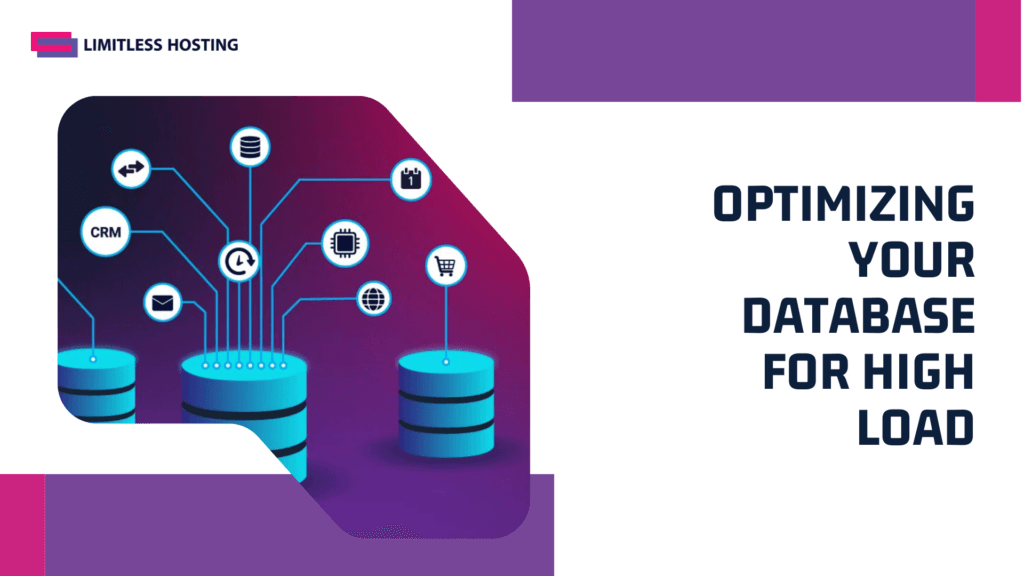
Optimizing your database for high load
The database is often the “chokepoint” of a website. When hundreds of people are trying to read from and write to the same database simultaneously, the “locking” mechanisms of the database engine can cause the entire site to stall.
Cleaning up your database tables
Over time, your database accumulates “bloat” from post revisions, expired transients, and deleted comments. During a traffic spike, the server has to sift through all this extra data to find the information it needs, which wastes precious CPU cycles.
Regularly optimizing your tables and removing unnecessary data ensures that your queries are as fast as possible. Using a tool like Aepto to monitor the overall health of your digital assets can help you stay on top of these maintenance tasks, ensuring that your backend is always “lean and mean” before a surge hits.
Reducing the “Heartbeat” of your CMS
WordPress has a “Heartbeat API” that communicates between the browser and the server every few seconds while you are in the dashboard. During a traffic spike, if you have several editors logged into the backend, these heartbeat requests can consume a significant portion of your allowed entry processes.
You should use a plugin to limit or disable the Heartbeat API during high-traffic periods. This ensures that every bit of server power is dedicated to serving your visitors rather than managing administrative tasks in the background.
Managing “Heavy” assets and media
Images and videos are the largest parts of any webpage. If you are serving high-resolution images directly from your shared hosting account, a traffic spike will quickly exhaust your bandwidth and slow down the page for everyone.
Using Next-Gen image formats
You should always use compressed image formats like WebP or AVIF. These formats provide high visual quality at a fraction of the file size of traditional JPEGs or PNGs.
- Faster Load Times: Smaller files mean less time spent on data transfer.
- Bandwidth Savings: Allows you to serve more visitors before hitting transfer limits.
- Better UX: Prevents mobile users on slow connections from bouncing.
- SEO Benefits: Higher Core Web Vitals scores lead to better search rankings.
Offloading media to external storage
For very large files, such as PDF downloads or video backgrounds, consider hosting them on external cloud storage like Amazon S3 or a dedicated media host. This completely removes the data transfer load from your shared hosting account, allowing your server to focus solely on the core HTML and application logic.
Security measures to prevent “Fake” spikes
Not all traffic spikes are good. Sometimes, a surge in traffic is actually a “Bot Attack” or a Distributed Denial of Service (DDoS) attempt. You need to be able to distinguish between a “Reddit hug of death” and a malicious botnet.
Implementing a Web Application Firewall (WAF)
A WAF filters out malicious traffic before it ever reaches your server. By blocking known bad bots, scrapers, and hackers, you ensure that your server resources are reserved for actual human customers. Most premium web hosting setups include some level of server-side protection, but an external WAF adds a much-needed secondary layer of defense.
Using an AI-driven monitoring tool like Aepto can help you identify unusual patterns in your domain’s traffic. If you see a spike in requests from a country where you don’t do business, you can quickly block that IP range at the firewall level, preserving your resources for your target audience.
Protecting your login pages
Brute-force attacks on your wp-login.php or admin pages can consume a surprising amount of CPU power. Even if the hackers don’t get in, the sheer volume of “failed login” attempts can crash a shared hosting account. You should use a plugin to limit login attempts or “hide” your login URL to stop these automated scripts in their tracks. This kind of robust defense is a core reason why DirectAdmin hosting is often the best choice for stability-minded users.
When is it time to upgrade?
As a professor of infrastructure, I must be honest: shared hosting has a physical limit. While the optimizations above can help you handle thousands of visitors, there is a point where the hardware simply cannot keep up with the demand.
Identifying the “Hard Ceiling”
If you have implemented CDNs, aggressive caching, and image optimization, but your site is still throwing “508 Resource Limit Reached” errors, it is a clear signal that your business has outgrown its current environment. You are no longer a “small site”; you are a growing enterprise that needs its own dedicated resources.
At Limitless Hosting, we make the transition to reseller hosting or a VPS seamless. If your traffic spikes are becoming a daily occurrence rather than a rare event, upgrading to a plan with higher dedicated CPU and RAM limits is the most cost-effective way to ensure your business continues to scale without interruption.
Planning for the “Next Level”
Don’t wait for your site to be offline for 24 hours before deciding to upgrade. Monitor your “Resource Usage” stats in your control panel. If you see that you are consistently hitting 80% of your limits during normal hours, you won’t have enough “headroom” to survive even a small traffic spike.
Understanding is shared hosting a good choice for your blog involves knowing when its limits have been reached and when it is time to evolve.
Moving to a premium hosting tier often provides a significant jump in allocated resources, giving you the breathing room needed to handle “bursty” traffic without the higher cost of a dedicated server. It is the perfect middle ground for a successful, growing brand.
Monitoring your digital assets for stability
In the hosting world, “knowledge is power.” You cannot manage what you cannot measure. Having a robust monitoring strategy ensures that you are the first to know when a spike starts, not the last.
The importance of real-time alerts
Setting up external monitoring with Aepto ensures that you get an instant notification if your site goes down or starts responding slowly. This allows you to take immediate action—such as enabling “Under Attack Mode” on your CDN or clearing your server cache—before the situation escalates.
An intelligent monitoring platform does more than just check if the site is “up”:
- Response Time Tracking: Alerts you if your server is slowing down under load.
- DNS Health: Ensures your traffic isn’t being diverted during a crisis.
- SSL Status: Verifies that your security certificates are active and valid.
- AI Insights: Uses historical data to warn you about potential issues before they become outages.
Final thoughts on surviving the surge
Surviving a traffic spike on shared hosting is a marathon of efficiency. It is about doing more with less and ensuring that every byte of data and every CPU cycle is used purposefully. By following the “professor’s roadmap” of optimization, offloading, and monitoring, you can turn a potential disaster into a triumph for your brand.
Summary of the “Spike Survival” checklist
To recap, if you want to keep your shared hosting account stable during a surge, you must focus on:
- Offloading: Use a CDN to handle static assets and reduce the server’s burden.
- Caching: Staticize your pages to bypass heavy PHP and database processing.
- Optimization: Keep your database and images lean to maximize resource efficiency.
- Monitoring: Use tools like Aepto to stay informed and proactive.
Building for the future
Your hosting journey is an evolution. Starting on budget hosting is a smart move for any new business, but being prepared to scale is what makes you a professional. It is always helpful to look at the benefits of choosing LimitlessHost.net as your long-term partner, as we provide the path from your first blog post to your millionth visitor.
Treat every traffic spike as a learning opportunity—a “stress test” that reveals where your site can be improved and when your business is ready for the next level of infrastructure.
I hope this guide has given you the confidence to face your next viral moment with a smile rather than a panic attack.
Read More of our blogs:
- How to Make the Most of Web Hosting Discounts: Limitless Hosting 10th Anniversary Sale
- How to Get Cheaper Web Hosting Without Sacrificing Performance
- Cheapest Web Hosting Promo Code: 10th Anniversary Deals 2026
- Why Is WordPress Using Too Much Memory? Causes, Fixes & Optimization Guide
- How Can I Switch from cPanel to DirectAdmin? A Complete Migration Guide